
Shopping for a new TV for your home theater is exciting. If you’re creating a home theater for the first time, it can also be confusing.
Wanting a fantastic TV with a mind-blowing surround sound system
doesn’t instantly turn you into a tech geek who understands all the
terminology you’re about to encounter.
Don't worry!
Our comprehensive home theater glossary is here to
tell you everything you need to know.

16:9 or 16x9
16:9 refers to the aspect ratio for HDTV widescreen formats,
meaning for every 16 inches of width, you have nine inches of
height.
1080i
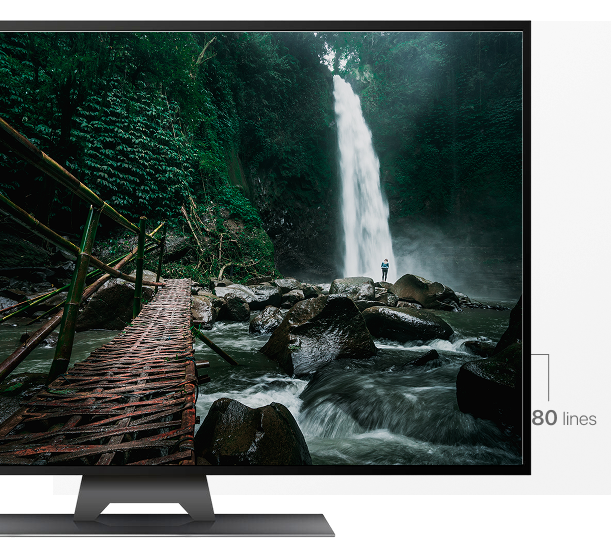
1080i, or 1080 interlaced, is a type of high definition (HD)
display. 1080i displays give you a resolution of 1920 pixels x
1080 lines. These pixels and lines interlace, hence the term.
1080p
Contrast ratio is the difference between the brightest and darkest colors your TV can produce. For example, a contrast ratio of 7000:1 means that the brightest white is 7,000 times brighter than the darkest black. In general, higher contrast ratios are better for your viewing experience. However, other factors, such as ambient light, may also affect your picture and viewing experience.
You may also find that OLED TVs labeled as having an infinite contrast ratio. This is because OLED TVs have “perfect” black levels, as the LEDs switch off rather than emitting a black color.
2/3 Pulldown
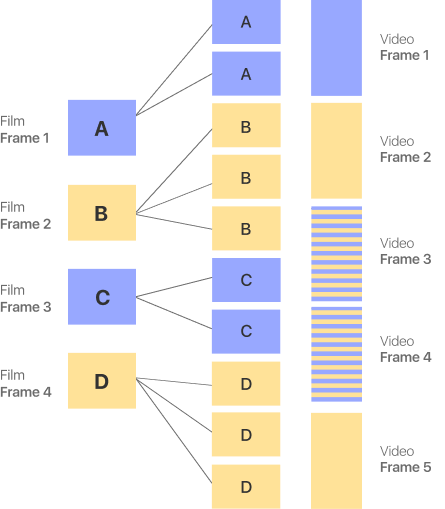
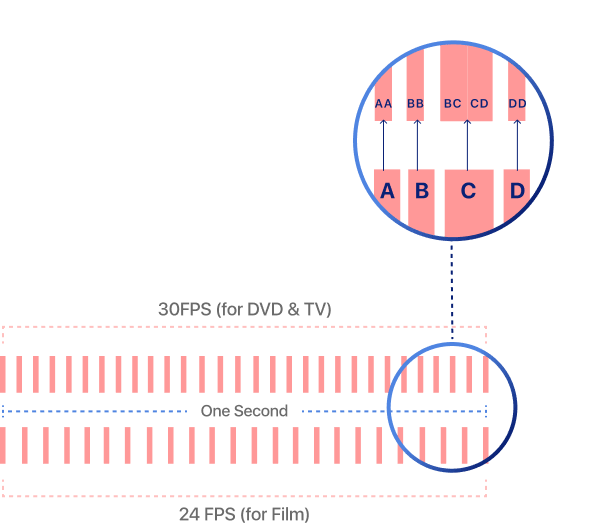
2/3 Pulldown is a frame sequence function that some DVD and Blu-Ray players can perform. 2/3 Pulldown converts film shot at 24 frames per second (fps) to 30fps video. Additional fields are added to existing frames of film to achieve this. In this case, 12 fields (six frames) are added to every 24 frames. Each second frame is then converted to be represented by three video fields instead of two, with the second field being replicated.
Fields

Frames
Frames

Each
frame
Frames
per sec.

2160p
2160p, or 2160 progressive, is a 4K Ultra HD display.
4K images have a resolution of 3840 pixels x 2160 lines, which are displayed via a progressive scan, delivering 8.2 million pixels.
3/2 Pulldown
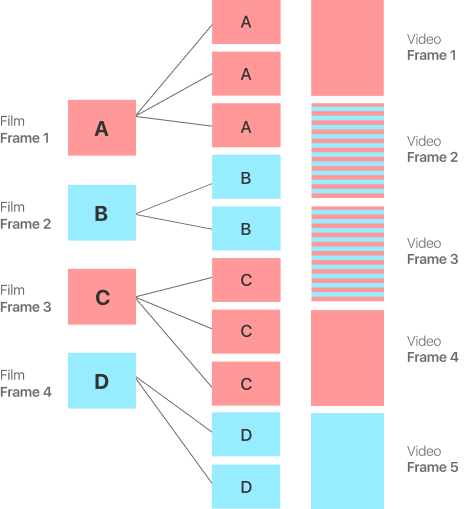
3/2 Pulldown works the same as 2/3 Pulldown, but the order in which video frames are pulled is different.

4:1:1 Sampling
4:1:1 sampling is a ratio that describes the frequency of a digitized signal.
4:1:1 means luminance (Y) is sampled four times, and red and blue colors (R-Y and B-Y) sampled once each.
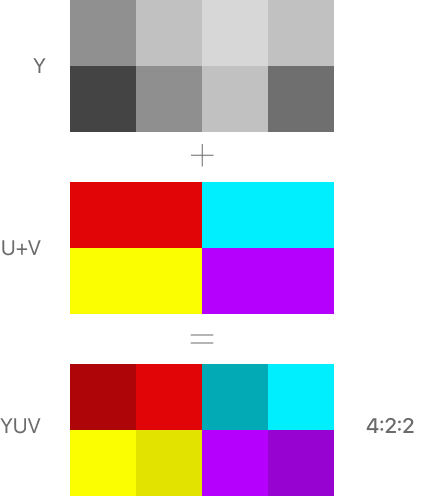
4:2:2 Sampling
With 4:2:2 sampling, the luminance (Y) is sampled four times, while the red and blue color (R-Y and B-Y) are sampled twice each. Green (G-Y) does not need sampling, as a system can calculate G-Y from the luminance, red, and blue data.

4:4:4 Sampling
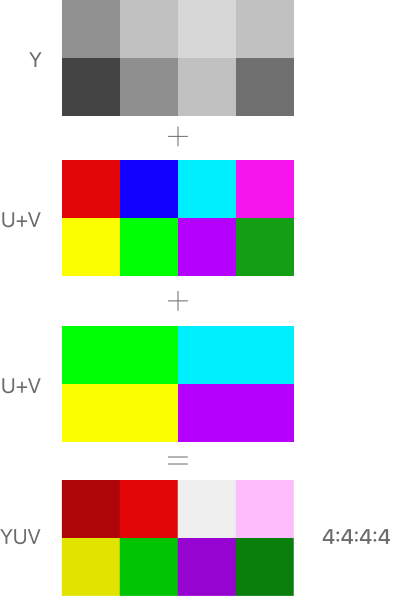
In 4:4:4 sampling, all color information, as well as the luminance, is sampled four times. This sampling ratio delivers the best picture of the three examples here. It can provide greater clarity and present subtle differences in color. 4:4:4 sampling is commonly used in computer graphics.
Since 2016, it has become increasingly common for 4:4:4 sampling to be found in smart TVs as standard.
4:4:4:4 Sampling
4:4:4:4 sampling adds a fourth channel to the sampling. It samples green color (G-Y) rather than calculating green from the other color data.

4:3 or 4x3
4:3 refers to the aspect ratio of NTSC displays. 4:3 means that for every four units of width, your TV will be three units wide. For example, if your TV were 40 inches wide, you’d want it to be 30 inches tall to fit something shot in 4:3 perfectly. In this case, you’d have a 50-inch TV!

4096 x 2160
4096 x 2160 is a professional 4K Ultra HD resolution used to shoot movies and TV shows.
Movie and TV cameras that shoot in 4K record a 7% wider image than what consumer 4K products can display. Therefore, it is trimmed to a resolution of 3840 x 2160 to match the 16:9 aspect ratio during the post-production process.
Pixels

Pixels

4320p
4320p, or 4320 progressive, is a type of 8K Ultra HD display.
These displays give you 7680 pixels x 4320 lines delivered via progressive scan, for a total of 33.18 million pixels for displays with a 16:9 aspect ratio.
Pixels
Lines
Pixels

480i
480i, or 480 interlaced, is a standard definition solution, made up of 480 interlaced lines.

480p
480p, or 480 progressive, is a standard definition solution, made up of 480 progressively scanned lines.

4K
4K is a resolution of at least 3840 x 2160 that gives you 8.3 million pixels on a widescreen 16:9 aspect ratio display.

5.1 Audio
5.1 audio refers to the setup of a surround sound system.
In this case, the five refers to your five speakers and your one sub-woofer. This is a standard surround sound set up, but you can opt for 5.2, 7.2, or whatever works best to deliver the best home theater experience for your home.
720p
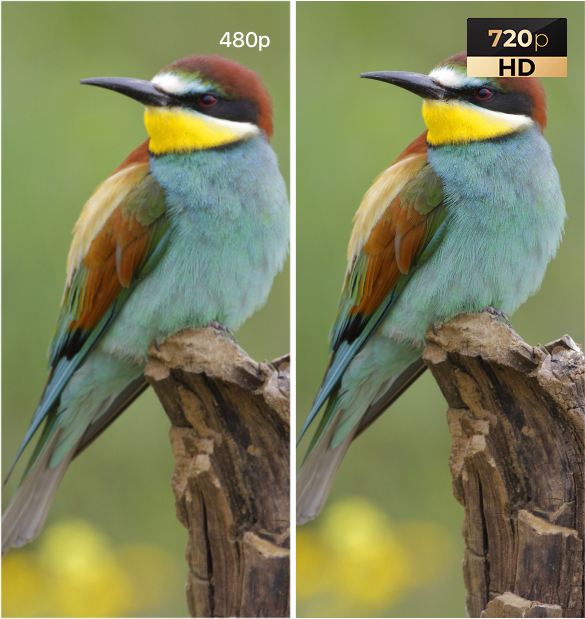
720p, or 720 progressive, is a type of HD display. These displays give you a resolution of 1280 pixels x 720 lines, a total of 0.92 million pixels. 1280 x 720 is the minimum resolution a display must have to class as HD.
768p
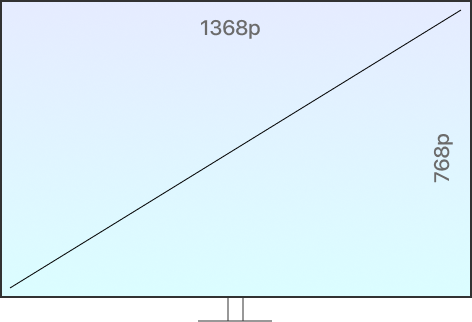
768p, or 768 progressive, is an alternative type of HD display giving you a resolution of 1368 pixels x 768 lines, a total of 1.05 million pixels. When shopping around for a new TV, you may find other ratings and types of display. These differ due to pixels of varying shape and size being used in a variety of TV models.
Pixels
Lines
Pixels
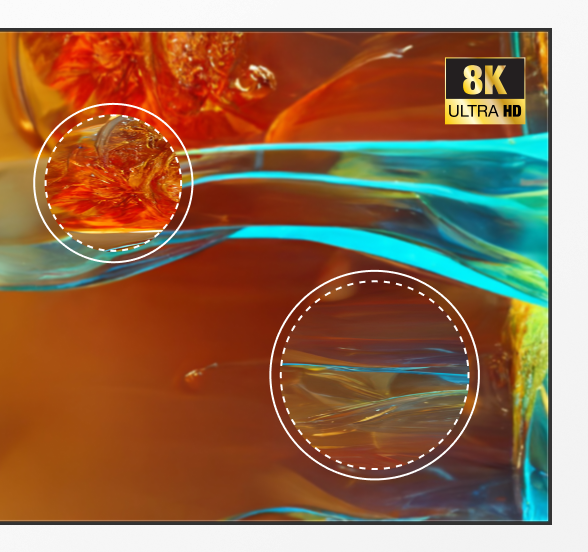
8K
8K is a resolution of at least 7680 x 4320 that delivers 33.18 million pixels on a 16:9 aspect ratio display.
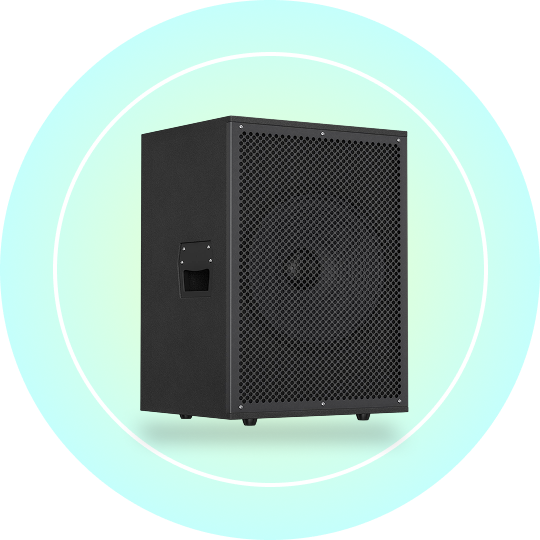
Active Subwoofer
An active subwoofer is a subwoofer with a built-in amplifier. Most subwoofers specifically designed for home theater are active subwoofers.
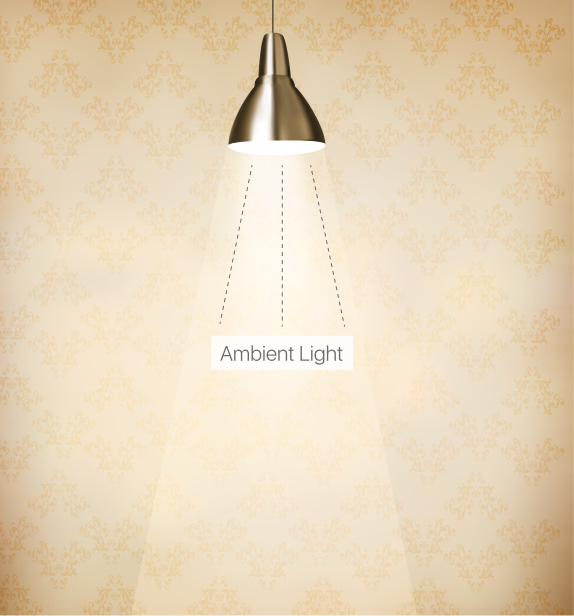
Ambient Light
Ambient light is any light in your room that doesn’t come from your TV, screen, or projector. Ambient light can have a major impact on your viewing experience, so it’s something to be aware of when choosing a new TV, particularly when choosing between an OLED and QLED display.
AC-3 (Adaptive Transform Coder 3 or Audio Codec 3)
AC-3 is a multichannel 5.1 format of Dolby Digital surround sound. Commonly used in HDTV, AC-3 is a form of digital audio coding that reduces the data needed to produce an optimized audio experience.
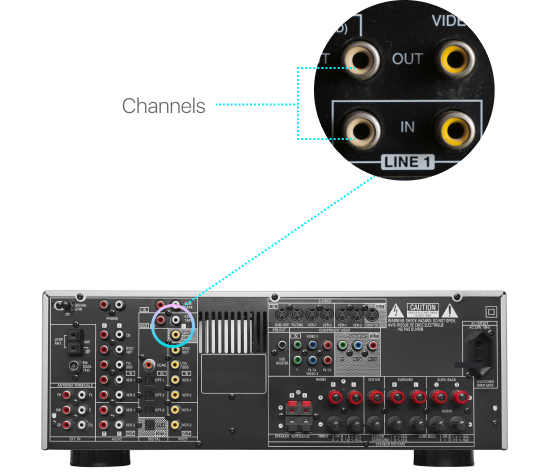
ACD (All Channels Driven)
ACD is a multi-channel amplifier test.

Acoustic Treatments
Acoustic treatments can make a massive difference to your home theater experience. They’re usually panels with an acoustic fabric covering, made to eliminate sound reflection points and sound echo at mid and high frequency.
Analog
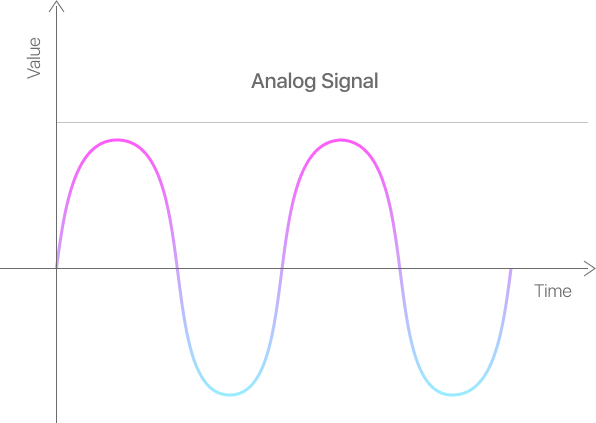
Analog signals deliver TV pictures by sending a continuously variable signal to create fluctuations in color and brightness.
Most countries around the world are either in transition from analog to digital TV delivery or have already fully done so.
Anamorphic
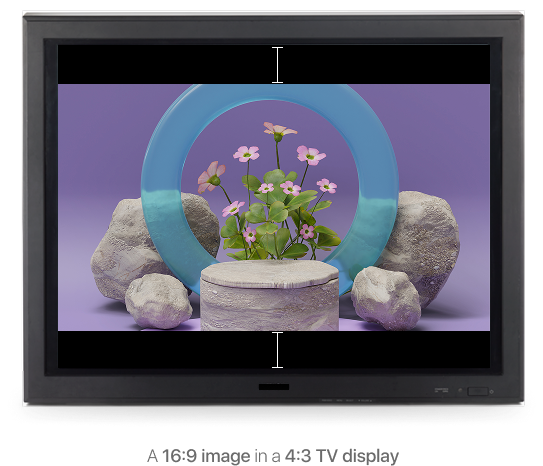
The anamorphic process squeezes 16:9 widescreen images to fit a 4:3 TV display. This is why you might sometimes get black bars at the top and bottom of a movie if you have an old 4:3 display and no aspect ratio control function.
Antialiasing
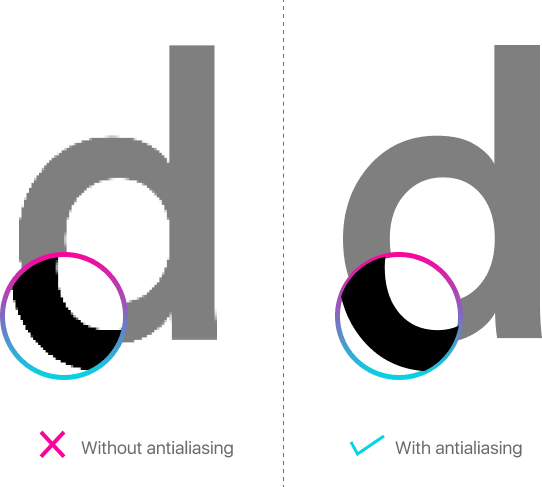
Antialiasing is the process of smoothing the edges of video text and graphics. Antialiasing makes text and images look sharper on screen.
Artifact
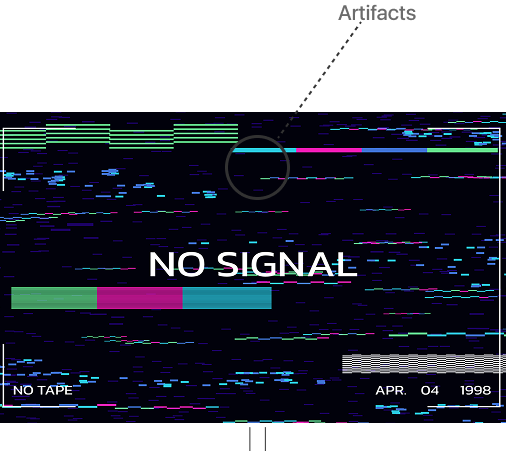
Artifacts are unwanted noise usually caused by errors. Artifacts appear as out of place blocks or pixels on your display and can spoil your viewing experience.

Aspect Ratio
The aspect ratio is your TV’s width height ratio, such as 16:9 or 4:3.
Some TV’s have an aspect ratio control feature to help you optimize the viewing experience depending on what you’re watching.

ATRAC3 (Adaptive Transform Acoustic Coding 3)
ATRAC3 is similar to AC-3 but is a Sony rather than a Dolby audio format.

Bandwidth
Bandwidth is the amount of data an internet connection can carry and deliver in a specific period, usually expressed as Mbps.
Bandwidth usually won’t be something you need to consider explicitly when buying a TV, but you might want to ensure your internet connection has high bandwidth if you’re looking to stream 4K content from Netflix!
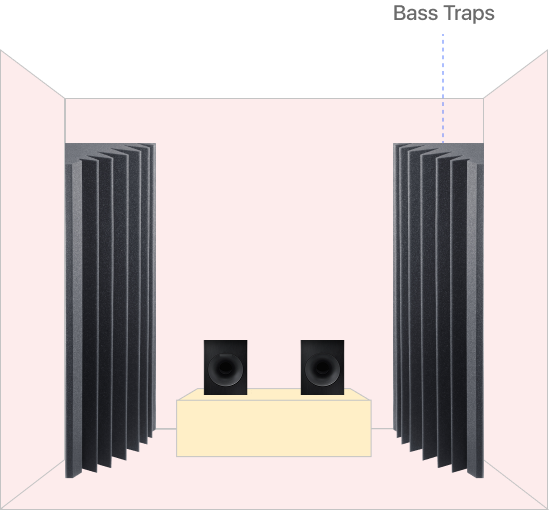
Bass Traps
Bass traps are a sound aid. You may sometimes see them labeled as acoustic traps.
You would typically place a bass trap in the corner of a room to dampen the sound waves from your speaker system.
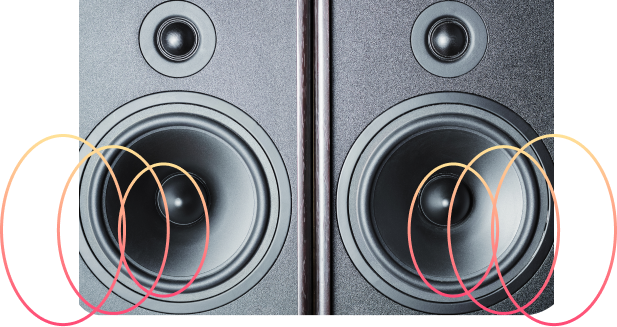
Bipole Speakers
Bipole speakers are common in surround sound systems and can enhance the audio experience as they deliver sound from both sides of the speaker at once. This creates a better audio spread and a less directional sound.
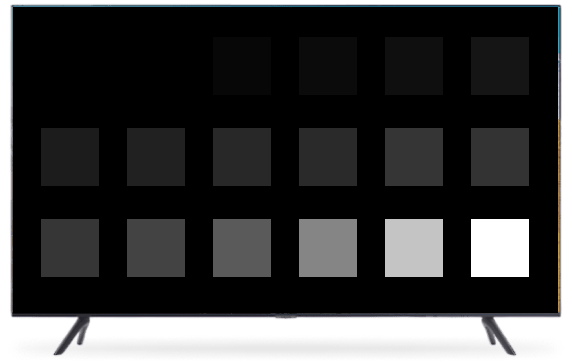
Black Level
Black level is the intensity of black on a display. OLED TVs deliver more intense levels than QLED TVs.
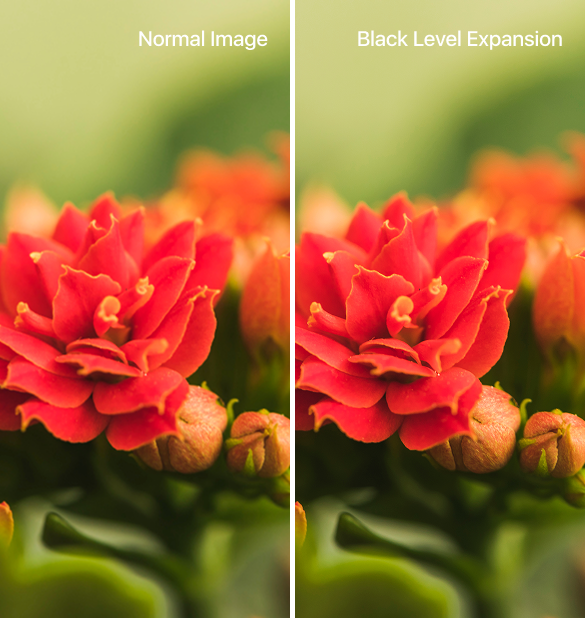
Black Level Expansion (BLE)
Some TV’s have a black level expansion feature which enhances the intensity of black color by suppressing the darker portions of a picture.
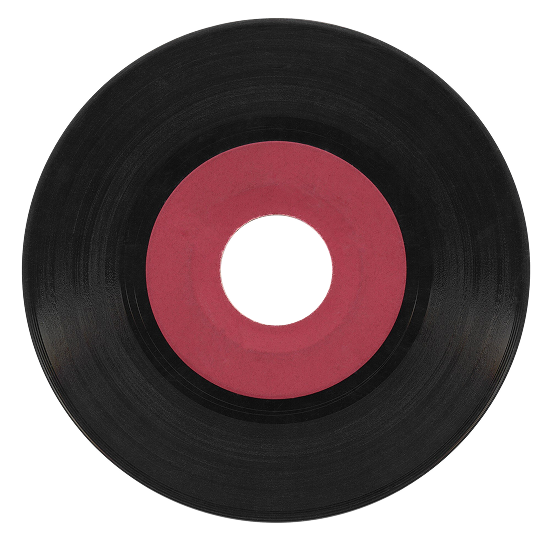
Blu-Ray Disc (BD)
A Blu-Ray disc is like a DVD, but with much more storage space. This means Blu-Ray discs can store high-resolution video and audio that DVDs cannot. This is why you can get 4K Blu-Ray movies with uncompressed, multi-channel, Dolby Digital surround a rich range of additional features, but wouldn’t find the same on DVD.
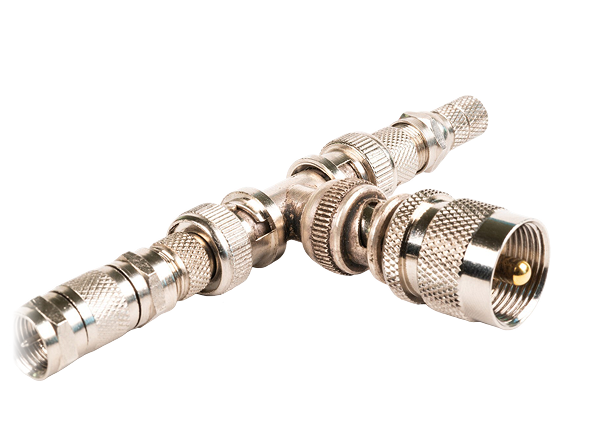
BNC Connector
A BNC connector – named after its inventors Bayonet, Neill, and Concelman – is the small connector you put on the end of a coaxial cable.

BPS (Bits Per Second)
BPS, usually expressed in lower case (bps) refers to the bit rate of data transmission. Higher bit rates deliver better picture or sound quality for you to enjoy.
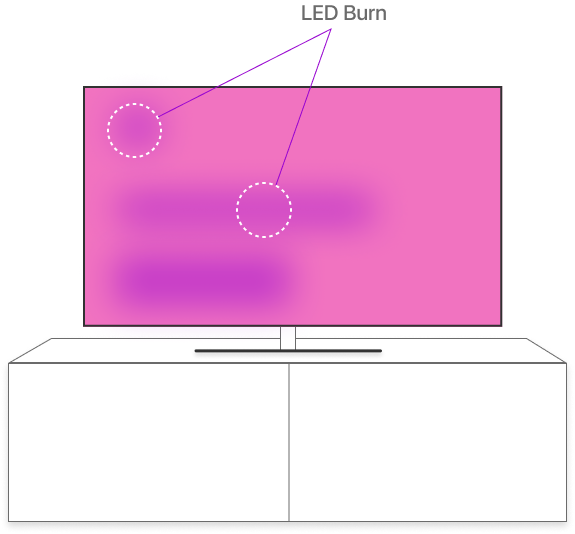
Burn-In
Burn-in is when the LEDs in your TV display emit a lower quality of blue light due to showing the same image repeatedly. For example, if you watched the same TV channel for hours every day, you might eventually see that channel’s logo on your screen when you’re watching something else.
Burn-in usually isn’t an issue for most people, as LEDs need, on average, 9,000 hours use before the light they transmit is affected.

CCFL (Cold Cathode Fluorescent Lamp)
CCFLs are traditionally the type of lamp used in LCD TVs, although most newly manufactured TVs use LEDs.

Chapter
A chapter is a segment or a scene in a movie or TV show you can skip to when watching on DVD or Blu-Ray. DVDs support up to 99 chapters per title.

Chroma Bug
A chroma bug is a type of artifact. Chroma bugs are specific to displays that use 4:2:0 sampling.
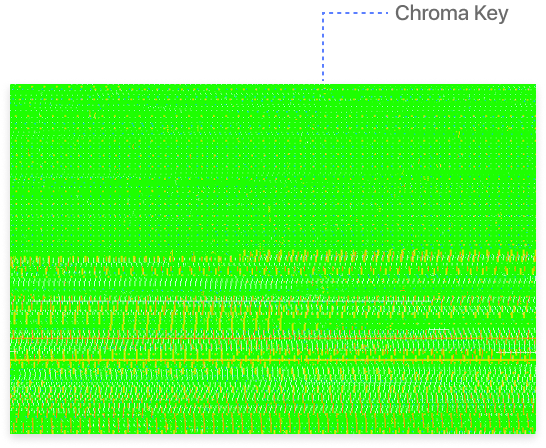
Chroma, or Chrominance
Chroma is an element of a video signal that carries color data.
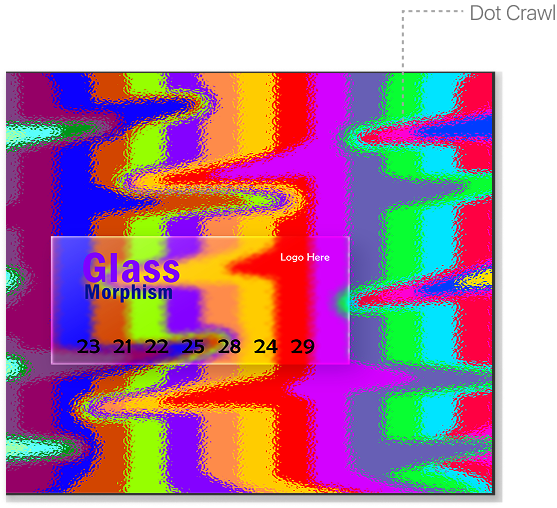
Chroma Crawl, or Dot Crawl
Chroma crawl is another type of artifact. In this case, it is several artifacts that are visible around the edges of highly saturated colors. On screen, they will look like they are crawling around the screen.
Chroma crawl occurs when the decoders in your TV confuse luminance and color data.
Class 2 and Class 3 Cables (CL2 & CL3)
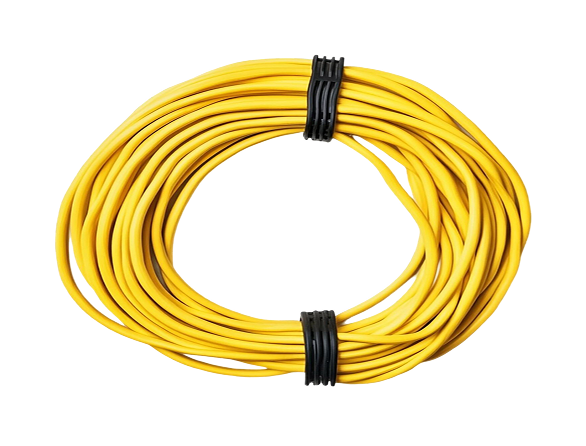
CL2 and CL3 are cabling types used when you place your sound system wiring within your home theater walls.

Coaxial Cable
A coaxial cable is a cable used to transmit multi-channel audio and video. The most common use for a coaxial cable at home is to connect an external satellite TV receiver to your TV or set-top box.

Codec
Codec is short for coder-decoder. In a home theater context, codec describes the compression algorithms used to reduce the size of video and audio files so they fit onto a DVD or Blu-Ray disc.
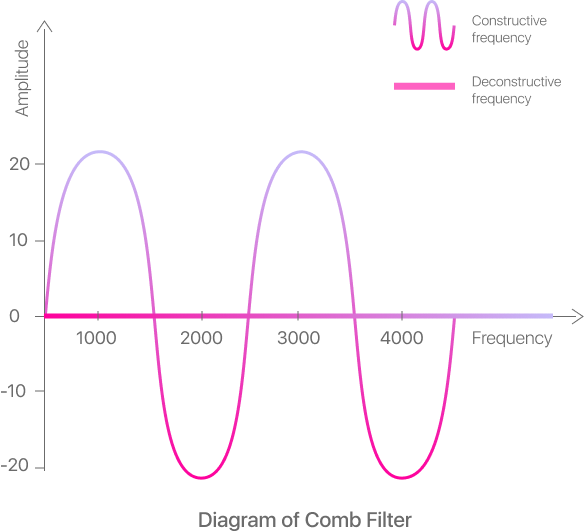
Comb Filter
The comb filter in your TV separates the color and brightness data within the video signal. If your comb filter is working correctly, it will help reduce instances of chroma crawl.
Component Video
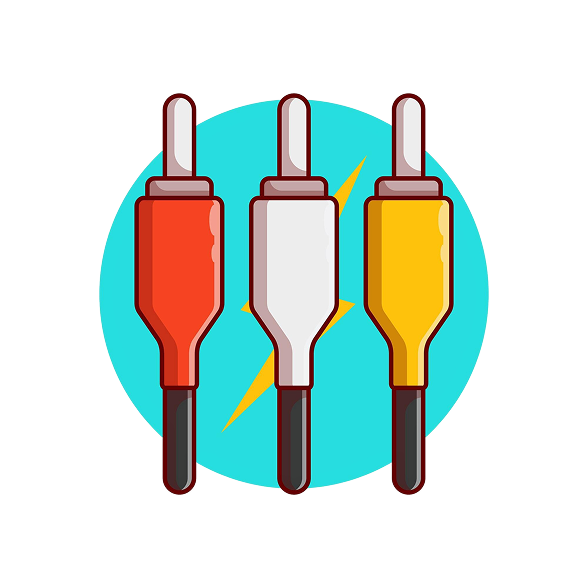
Component video is an output option found on DVD and Blu-Ray players, as well as other audio-visual kit such as set-top boxes. Component video takes an analog signal and splits it into two (or more) separate signals, which is why you see red, green, and blue connectors, as each connector splits the signal. Component video delivers a better picture quality than composite video.
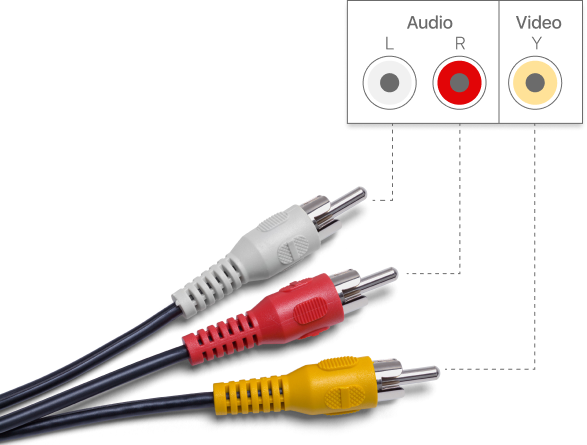
Composite Video
Component video is an output option found on DVD and Blu-Ray players, as well as other audio-visual kit such as set-top boxes. Component video takes an analog signal and splits it into two (or more) separate signals, which is why you see red, green, and blue connectors, as each connector splits the signal. Component video delivers a better picture quality than composite video.
Compression
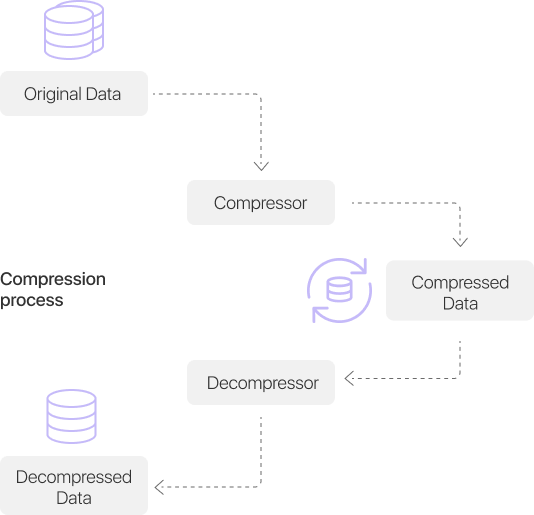
Compression reduces the size of digital data files so they can be downloaded more easily, or placed onto something like a DVD or Blu-Ray disc.
Contrast Ratio
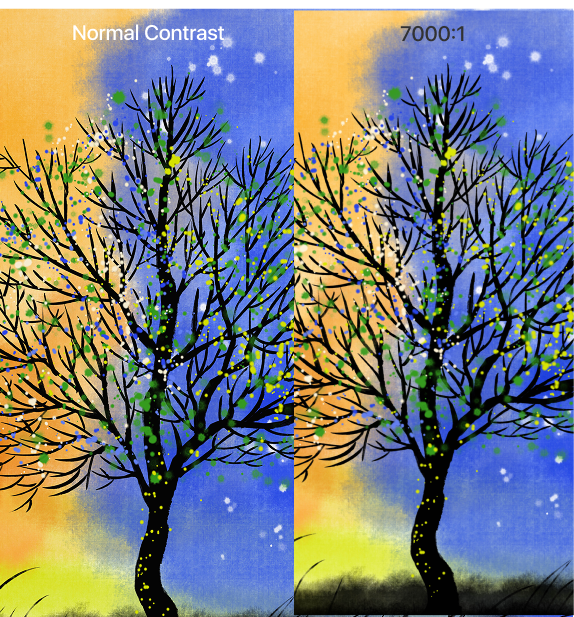
Contrast ratio is the difference between the brightest and darkest colors your TV can produce. For example, a contrast ratio of 7000:1 means that the brightest white is 7,000 times brighter than the darkest black. In general, higher contrast ratios are better for your viewing experience. However, other factors, such as ambient light, may also affect your picture and viewing experience.
You may also find that OLED TVs labeled as having an infinite contrast ratio. This is because OLED TVs have “perfect” black levels, as the LEDs switch off rather than emitting a black color.
Convergence
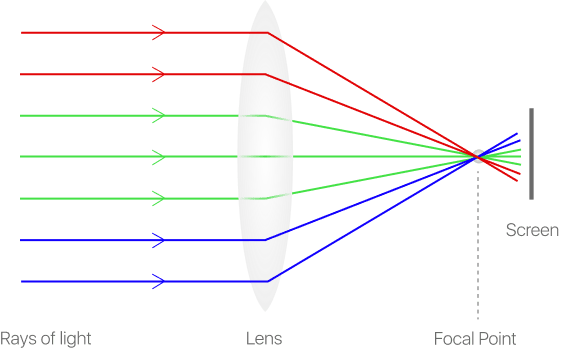
Convergence is how red, green, and blue video lights align to deliver a clear, sharp image to your TV. If you have outlines around the pictures on your TV screen, you will usually have an alignment issue.

Cathode Ray Tube (CRT)
In some backlit LCD TVs, CRTs project the primary colors onto your TV screen.
TVs that use CRTs are less common these days but can still be found, although the best backlit LCD TVs now use LEDs rather than CRTs.
Content Scrambling System (CSS)
Content scrambling systems are used for encryption on DVD and Blu-Ray discs. CSS’s periodically scramble data to prevent copyright theft.
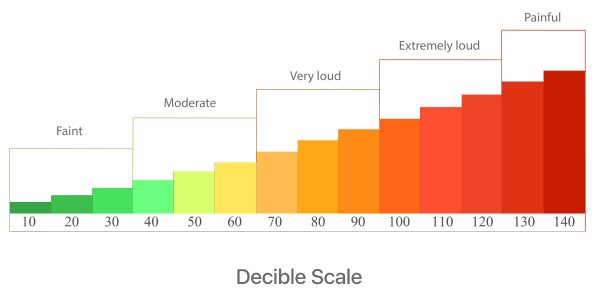
Decibels (dB)
Decibels is the rating measurement for sound. The higher the decibel level, the louder something is.
DCDi (Directional Correlational Deinterlacing)
DCDi technology removes jagged edges on diagonal image lines created by video interpolation. DCDi technology can help deliver higher resolution images and reduce occurrences of artifacts.

DCR (Digital Cable Ready)
A DCR TV is a HDTV “plug and play ready” to attach to a digital cable TV receiver.
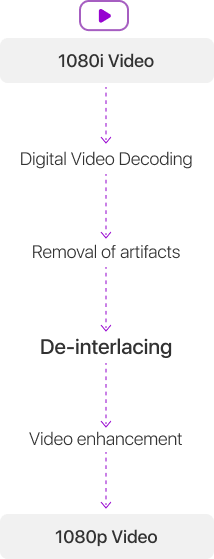
De-interlacer, Line Doubler, or Scan Converter
A de-interlacer is a circuit that converts interlaced signals into a progressive scan format. This allows your TV to correctly display interlaced signals as progressive scan. For example, if you have a 1080p TV but are watching a DVD produced in 1080i, the image will need de-interlacing.
TVs take care of this process automatically, although some TVs do a better job than others.
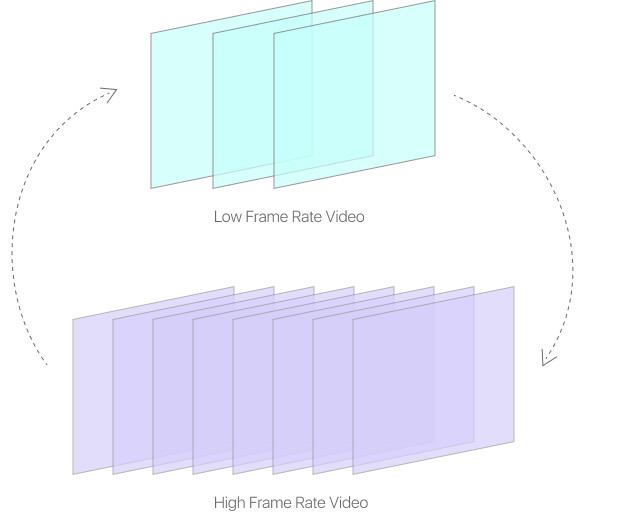
Digital Scaling
Digital scaling is also known as up-conversion and is the process of converting one resolution into another.
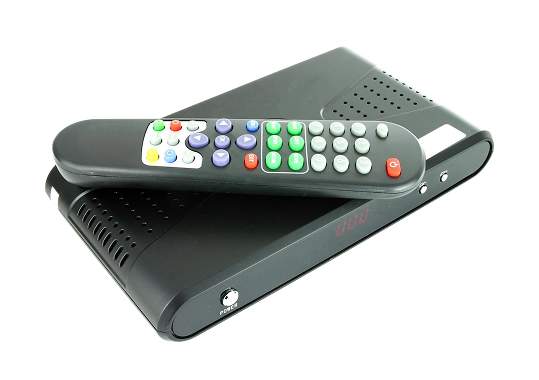
Digital Tuner
A digital tuner is the decoding device that receives and displays digital TV broadcasts. These will usually be found inside a set-top box for satellite TV.
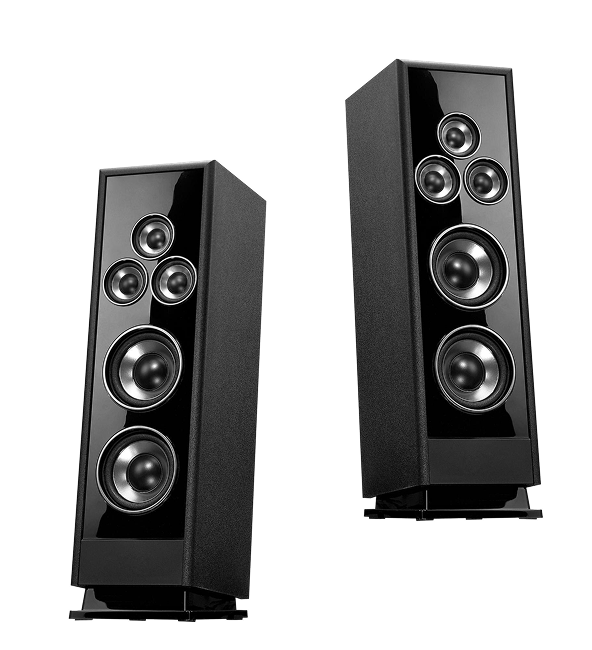
Dipole Speakers
Dipole speakers are common in surround sound systems. These speakers have two speaker drivers in the speaker cabinet, allowing them to send sound in two directions at once. If you choose dipole speakers for your home theater system, it is important to get the positioning right so you achieve a crisp, even sound.
DivX (Digital Video Express)
Originally known as Zoom TV, DivX is a long-play codec. If you ever downloaded a movie in the 2000’s, it probably went through a DivX process to fit on your USB drive! One of the notable benefits of DivX was the degree to which picture quality was maintained.
DivX HD
DivX HD is a DivX service supporting resolutions up to 720p.
DLP (Digital Light Processing)
DLP is a technology pioneered by Texas Instruments. DLP uses a color wheel and digital micromirror devices (see DMD below) to control the light output of your TV. Using DLP enables high brightness, contrast, and resolution digital image projection.
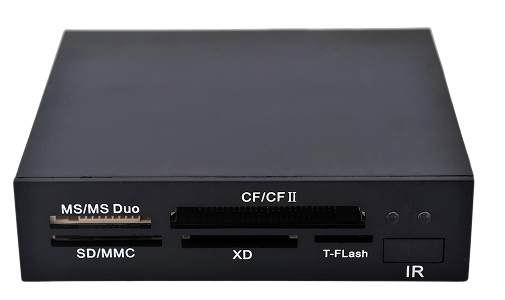
Digital Media Adapter (DMA)
A digital media adapter is anything you can attach to your TV to consume content, such as Apple TV, an Xbox One, or a Blu-Ray player.
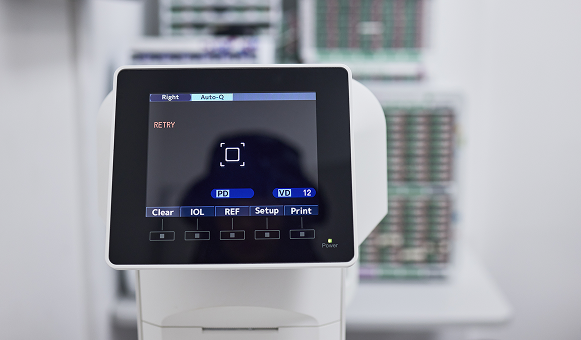
Digital Micromirror Device (DMD)
A DMD is a chip that with millions of microscopic mirrors, which are on hinges. DMD’s play a key role in digital light processing.
Dolby Digital (DD)
Dolby Digital is a multichannel surround sound system widely used in movie theaters and home theaters.
Dolby Digital EX
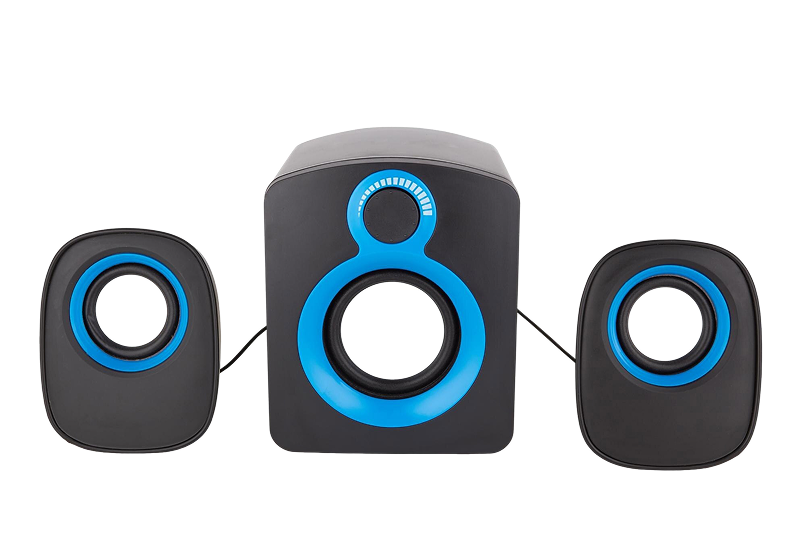
A Dolby Digital EX set up adds speakers to a traditional 5.1 surround sound setup, making your system 6.1 or 7.1.
Dolby Digital Plus (DD-Plus)
Dolby Digital Plus is a codec mandatory for DVDs and optional for Blu-Ray discs.
Dolby True HD
Dolby TrueHD is a multi-channel audio format used on Blu-Ray discs. Dolby TrueHD makes use of lossless compression, giving you the sound as it is on the movie studio tapes. Ensure you have a great sound system to enjoy the full Dolby TrueHD experience.
Dolby Pro-Logic
Dolby Pro-Logic is a technology that encodes four audio channels – left, right, center, surround – into a stereo channel – left, right. This audio can then be decoded back to four channels to create a surround sound mix when a decoder is used in your sound system. This would give you a 4.1 speaker setup.
Dolby Pro-Logic II
Dolby Pro-Logic II is the same as Dolby Pro-Logic but encodes five channels instead of four, for a 5.1 speaker setup. The added channel in Dolby Pro-Logic II comes from the surround channel splitting into left surround and right surround.
Dolby Pro-Logic IIx
Dolby Pro-Logic IIx expands on Dolby Pro-Logic II to help you create a 6.1 or 7.1 surround sound setup.

Dolby Pro-Logic IIz
Dolby Pro-Logic IIz allows you to create a 9.1 surround sound system. Such a system usually incorporates two additional speakers at different heights, which helps to enhance sound effects and make them even more realistic, especially for things like wind and rain.
Digital Theater Systems (DTS)
DTS is a multi-channel audio format that you can play on surround sound systems up to a 5.1 setup. DTS has a slightly higher data rate than Dolby audio, so you may notice slightly better sound quality with DTS if using a top-class surround sound system.
DTS 96/24
DTS 96/24 is an audio DVD standard by DTS. DTS 96/24 plays in standard DVD players, so long as you have a receiver that supports the format.
DTS-ES (Extended Surround)
DTS-ES is a multi-channel audio format that you can play on surround sound systems up to a 6.1 format. If you have a 7.1 setup but are watching something in DTS-ES, your two rear speakers will play in mono.
DTS-HD Master Audio
DTS-HD master audio is a multi-channel audio format developed by Digital Theater Systems (DTS), similar to Dolby TrueHD. When buying Blu-Ray discs, you might get either DTS-HD or Dolby True HD. Sometimes, you’ll get both, so take the opportunity to see which one you prefer!
DTS Neo:6
DTS Neo:6 is DTS’s highest sound standard, which you can play on a full surround sound system of up to 7.1.
DTV
DTV stands for Digital Television.

DV
DV stands for Digital Video.
DVB
DVB stands for Digital Video Broadcasting, a set of international open standards for DTV.
DVD (Digital Versatile Disc)
You know a DVD as the thing you put in the player when you want to watch a movie or TV show. In technological terms, a DVD is a media format that compresses video and multichannel audio onto a disc, enabling you to watch your favorite DVDs whenever you wish.
DVD-A (DVD-Audio)
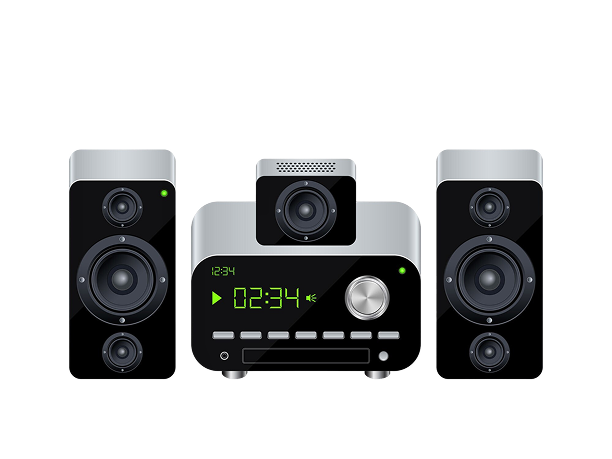
DVD-A is a digital audio format designed specifically for use on DVDs. As DVDs hold more space than CDs, DVD-A plays music at a higher resolution than a regular audio CD and will play in 5.1 surround sound depending on the format used to film video.
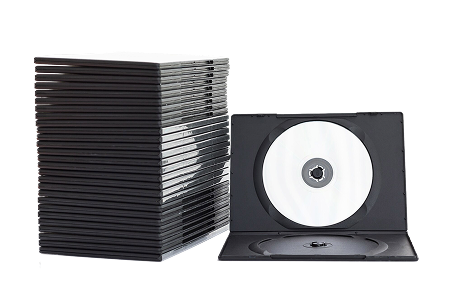
DVD-Video
DVD-Video is the video element of DVD.
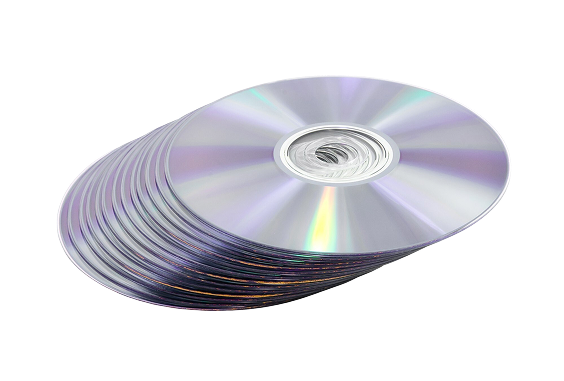
D-VHS (Digital-VHS)
D-VHS is a digital format based on half-inch VHS, used for HD video recording and playback.

DVI
DVI stands for Digital Visual Interface or Digital Video Interface. A DVI is a connector that delivers pure digital HD signals.

DVI-D
DVI-D is a DVI connector that only supports digital signals.

DVD-I
DVD-I is a DVI connector that supports both digital and analog signals.
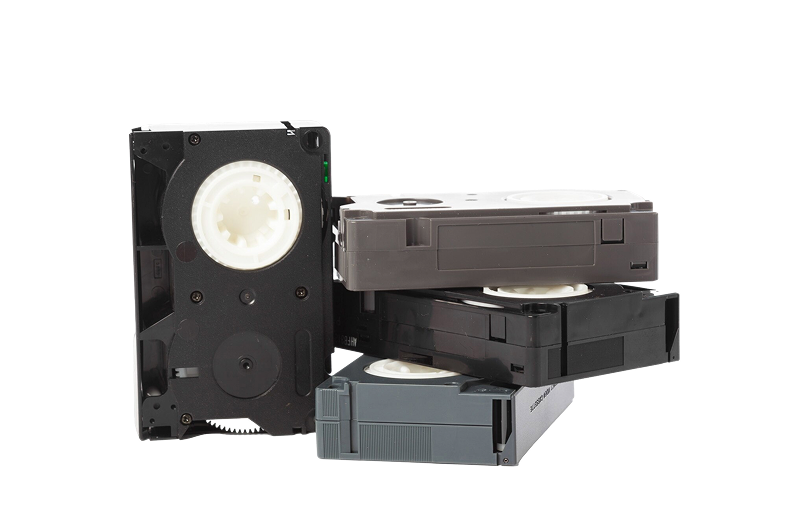
DVR
A DVR is a digital video recorder, which is a hard disk based recorded on which you can record and store content. Many set-top cable and satellite boxes include DVR technology and video recording capability.
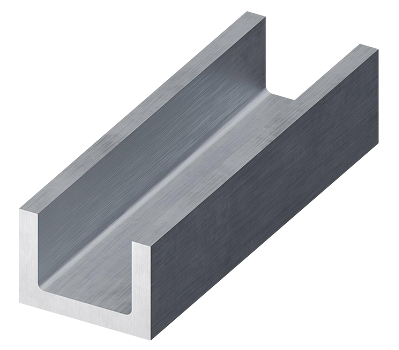
DWFC
DWFC stands for DryWall Furring Channel and is a type of soundproofing that you use to reduce the sound that travels through walls to the other side.

Dynamic HDR
Dynamic HDR changes the metadata of an image on a frame-by-frame basis, allowing different scenes to have different brightness, color, and contrast settings.

Edge-lit LED TV
An edge-lit LED TV has its LED lights behind the screen placed around the perimeter, allowing TVs to be thinner and to consume less power.
EDTV
EDTV stands for enhanced definition television. An EDTV cannot show full HD, instead offering a resolution of 852 x 480 (480p). EDTV is typically available in 4:3 or 16:9 aspect ratios and include Dolby Digital sound systems.
EPG
An EPG is an electronic program guide, which is the name for the channel and program information displayed on your TV.
EQ
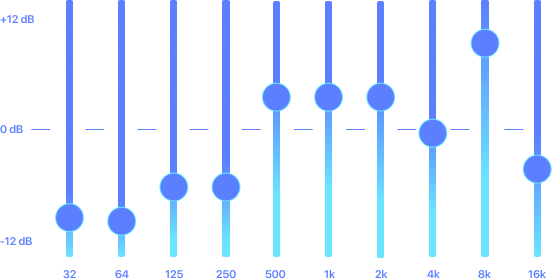
EQ, or audio equalization, adjusts the balance between sound frequency components.
Fixed-Panel Display
A fixed-panel display is a display with a fixed resolution. Such displays consist of rectangular or square pixels, rather than horizontal lines. Fixed-panel displays flash entire frames onto a screen all at once and use scan converters to achieve progressive scanning.

Flat-Panel TV
A flat-panel TV is a type of thin TV unit that is usually an LCD TV.

Flat-Screen TV
A flat-screen TV is a TV using a flat piece of glass as its display screen. Most modern TVs are flat screen TV’s, while traditionally old TV sets would curve into the main TV box unit at the edges and corners.
Frames Per Second (FPS)
FPS, usually styled fps, is the rate of frames shown on your display per second. In the United States, the standardized frame rates are 24fps for film, and 30fps for DVD and TV. See 2/3 Pulldown to learn how your TV accommodates these different frame rates.
Front Projection
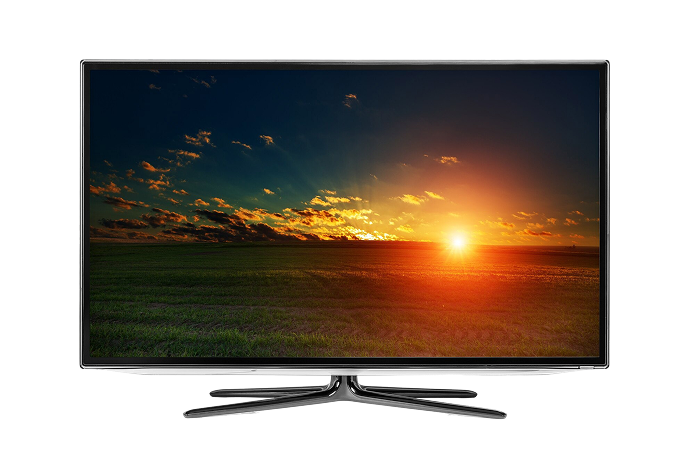
Front projection is the process of using a video projector to display an image onto a reflective screen and are often found in large home theater spaces.

Ghosting
Ghosting is a display error where you see multiple images overlaid on your screen, creating a “double vision” or “ghost” effect.

Guildford of Maine (GOM) Fabric
GOM fabric is an acoustically transparent fabric that you might use in your home theatre to help any visible speakers fit in with the décor of your room, without modifying your sound experience.
Green Glue
Green glue is a soundproofing material typically used in home renovation projects, but which may have some use in properties with a home theatre system.

Graphical User Interface (GUI)
A GUI is any display that allows you to interact with a device using icons. Your smart TV, Blu-Ray player, and smartphone are all examples of GUIs.

H.264
H.264 is a video codec used to deliver high-quality video at low data rates and is used in HD-DVD and Blu-Ray discs.

HD
HD stands for high definition, the basic standard for new TV displays.

HD Built-In
HD Built-In is used to describe a TV with an HD tuner that can receive HD from a TV, DVD, or streaming source in HD. Smart TV’s with built-in HD channels will have this feature.

HDCD
HDCD stands for High Definition Compatible Digital. An HDCD is an enhanced CD with 20-bit data compared to a standard CD with 16-bit data.
HDCP
HDCP stands for High-bandwidth Digital Content Production. HDCP is a form of copy protection encrypting digital video and audio content to stop people from making high-quality digital copies of video and audio.
If you want to consume 4K content, you should ensure your devices are HDCP compliant. Otherwise, you won’t be able to enjoy the content at its best.

HD-DVD
HD-DVD, or High Density – Digital Vertical Disc, is a DVD standard that uses a blue laser to read discs.
HDMI
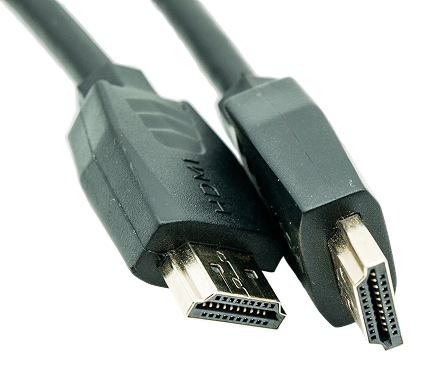
HDMI stands for High Definition Multimedia Interface and carries digital signals between a device and your TV via a single cable.

HDMI-CEC
HDMI-CEC is an HDMI control protocol supporting two-way communication via a CEC. CEC stands for Consumer Electronics Control.

HDR
HDR stands for High Dynamic Range, a technique that enhances the dynamic range of an image to generate a more realistic picture. HDR generally leaders to a higher contrast ratio. If you want to watch HDR Blu-Ray, for example, then both your Blu-Ray player and your TV must be HDR compatible.
HD Ready
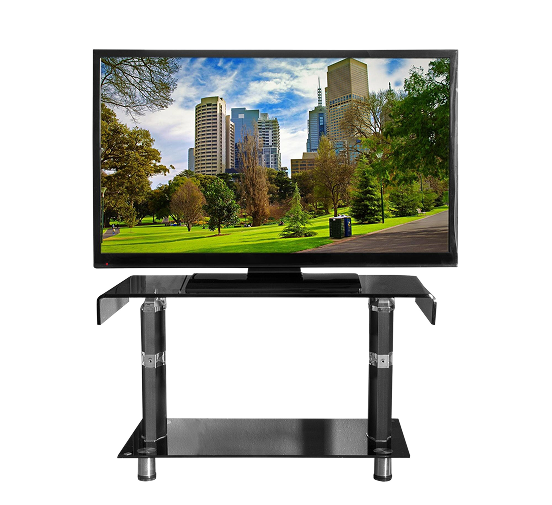
An HD Ready TV can display HD content but requires an HD tuner or set-top box to receive HD content.
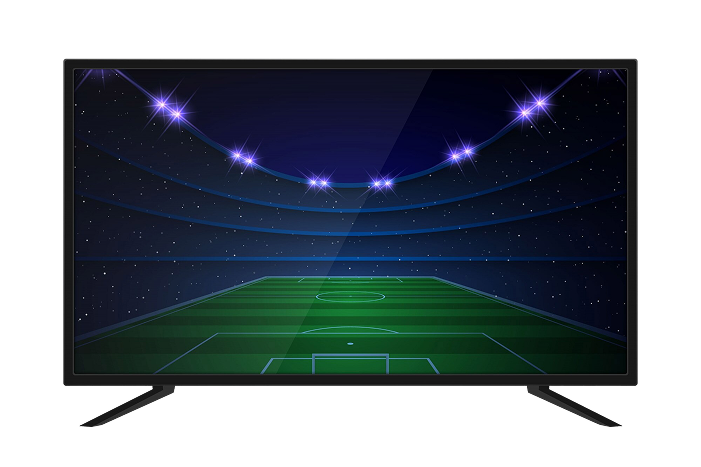
HDTV
HDTV stands for high definition television.
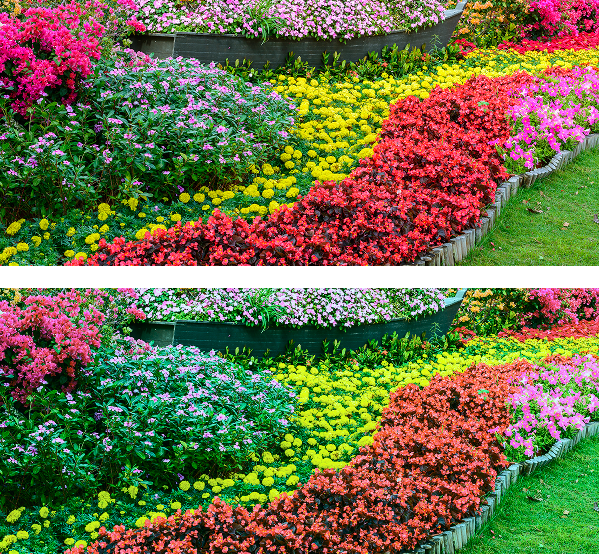
HDV
HDV stands for high definition video.

Home Theater
A home theater is a high-end home entertainment system. A basic home theater setup typically consists of a large flat-screen TV and surround sound system.
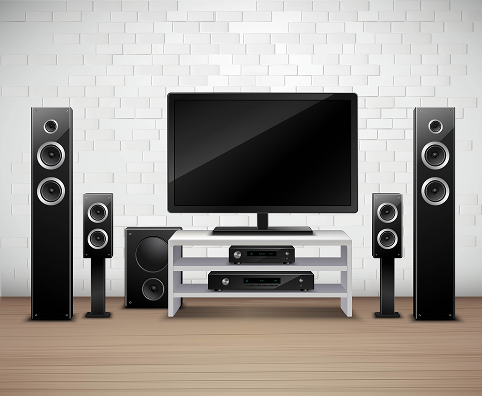
HTIB (Home Theater in a Box)
A home theater in a box usually refers to a complete 5.1 surround sound speaker system. You typically get a receiver and, depending on the seller, a DVD or Blu-Ray player. However, you need to buy your TV separately.
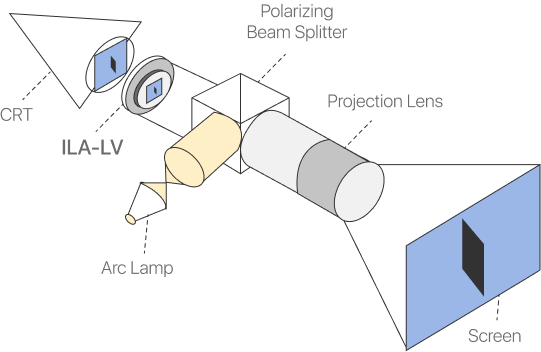
ILA
ILA stands for image light amplifier, a technology commonly found in home theater projectors.

Image Resolution
The resolution your TV can display, as defined by the number of pixels that make up the image. You can calculate your TV’s image resolution by multiplying the number of vertical lines with the aspect ratio of your TV.

Interlacing
Interlacing is the process that divides and displays a video frame in two fields. Our eyes then process these as one image. Interlacing can produce unwanted flickering to a display. Many people prefer TV devices that use processed scanning so they can achieve a higher quality viewing experience.
IR
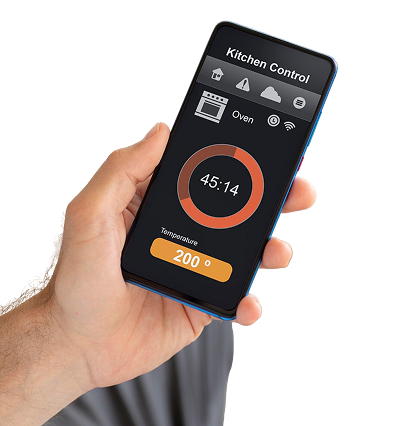
IR stands for infra-red, typically used in your remote to control your TV and other devices.
Keystone
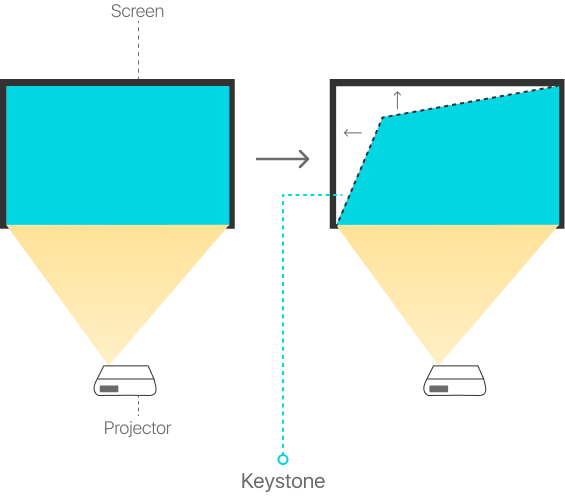
Keystone is an image distortion that occurs when you use a projector in your home theater system if it is not parallel to the screen or your screen sits at an angle.
LCD TV
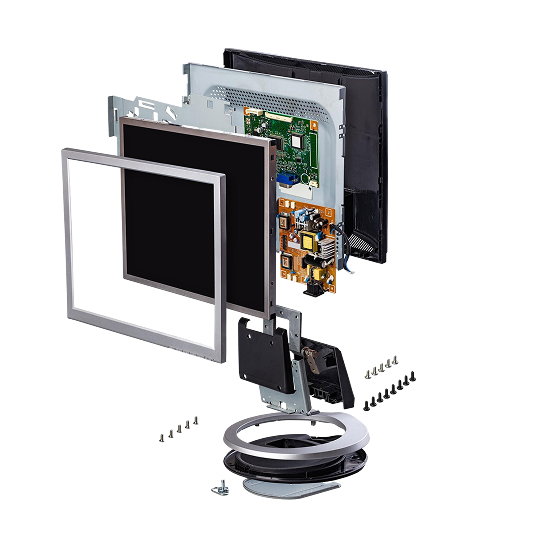
LCD, or liquid crystal display, is a flat panel type of TV. Modern LCD TVs typically use LEDs for backlighting, with the liquid crystals between two glass panels to create your display.

LCoS
LCoS stands for liquid crystal on silicon, a technology used in some projectors, and some rear projection TV sets.

Learning Remote
A learning remote is a universal remote control that works by learning all your device codes from other remotes, making it easier to operate your home theater system.

LED
LED stands for light-emitting diode.
LED TV
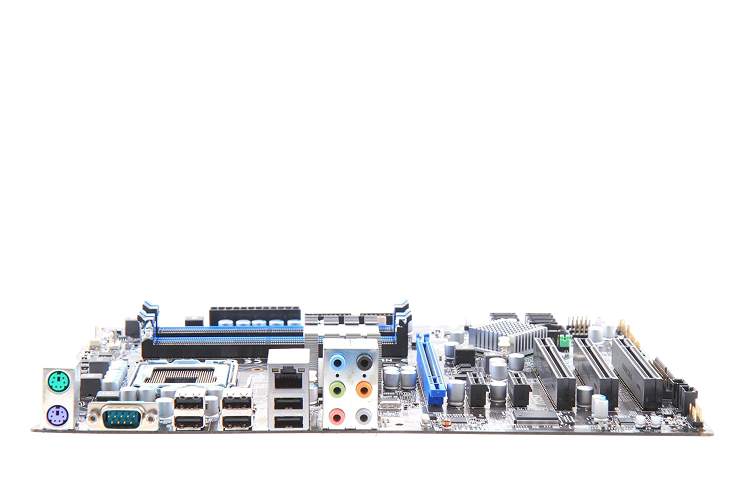
An LED TV uses LEDs rather than a backlight to project an image onto your TV screen, are more energy-efficient than traditional LCD TVs, and produce a far higher quality image.
LED TVs still use LCD screens, and as such, it is common to find LCD and LED TVs labeled as the same thing, so you should check what technology your TV uses before you buy.

Lens Shift
A lens shift within a projector is a feature that allows you to move the lens within your projector’s housing to achieve an optimized image on your screen.

Letterbox
A letterbox is a colloquial name for the effect you get when a widescreen 16:9 image displays on a 4:3 aspect ratio television, with black lines at the top and bottom of your picture.
LFE
LFE stands for Low-Frequency Effects, a channel of both Dolby Digital and DTS surround sound systems. LFE reproduces deep bass sounds, bringing realism to effects such as explosions in movies.

LIFI
A LIFI is a backlighting technology pioneered by Luxim. LIFIs will never, in theory, need replacing, wear out, or fade, as the lamps do not use filament. Instead, plasma radio frequencies are sent through the lamps to create the lighting.
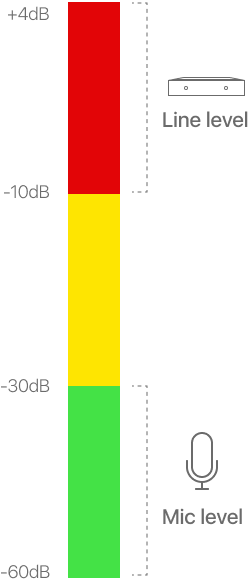
Line Level
Line level describes the strength of an audio signal.
Line Doubler/Tripler /Multiplier
Line doubler technology increased the number of lines of resolution on display, helping to alleviate interlacing problems.
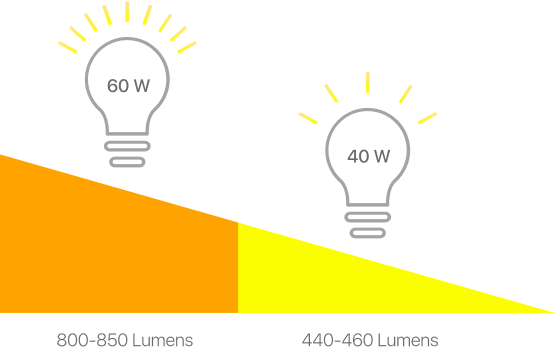
Lumens
Lumens are a unit of measurement relating to the light output of a projector.
MDTV
MDTV stands for microdisplay TV, typically referring to a screen size smaller than two inches.

Micro-LED
Micro LEDs are an emerging LED technology that may further enhance what is possible from TV displays. Micro LEDs are believed to last more than 50% longer than standard LEDs before light fading and burn-in occur.

MLV
MLV stands for mass loaded vinyl, which is a type of foam-backed floormat typically used for soundproofing. MLV is ideal for upstairs home theaters or if you live in an apartment block.
MPEG
MPEG stands for moving pictures experts group and is a video and audio compression and transmission standard.
MPEG-2
MPEG-2 is a video compression method. MPEG-2 is the standard format for DVD movies. It is also used to condense the file sizes of digital video for broadcast and potential recording.

MPEG-4
MPEG-4 is a more efficient video encoding standard, designed specifically for and typically used in low-data rate videos.
MTS
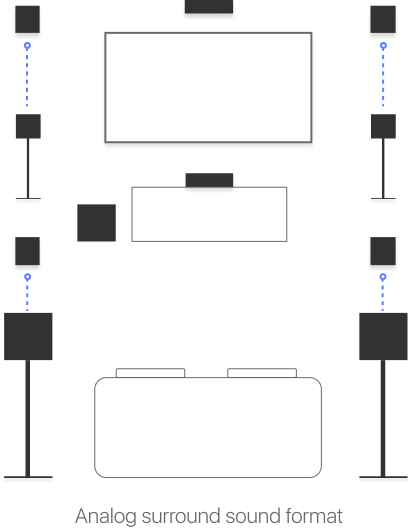
MTS stands for multi-channel television sound and is an analog surround sound format.

NAS
NAS stands for Network Attached Storage and refers to any hard drive that you can use as a media server.

Native Resolution
Native resolution describes a TV set is designed to display images without undergoing any conversion.

OAR
OAR stands for original aspect ratio.
OEL
OEL stands for original electroluminescent and is a type of screen technology.

OEM
OEM stands for original equipment manufacturer.
OLED
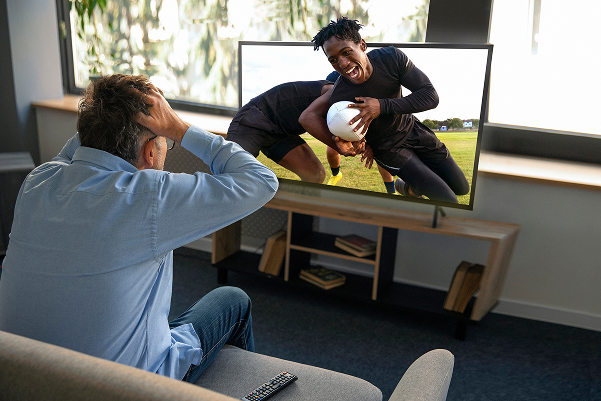
OLED stands for organic light-emitting display and is one of the most popular types of modern TV. OLED TVs typically use very little power but offer brighter colors and enhanced contrast ratios. One of the most significant aspects of OLED TVs is that the LEDs produce black color by switching off, giving you much greater depth to your pictures.
Optical Audio Connection
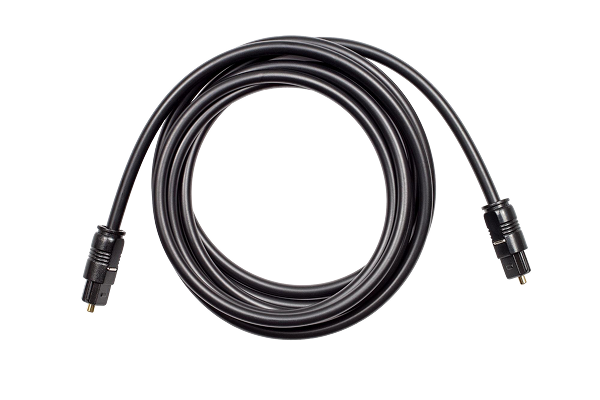
An optical audio connection is how your DVD, Blu-Ray player or games console transfers digital audio signals to your TV and speakers. You might also see this referred to as TOSLINK.

OSD
OSD stands for on-screen display.

OTA
OTA stands for over the air and refers to any television broadcast you receive over airwaves via an antenna, such as a satellite dish.
Overscan
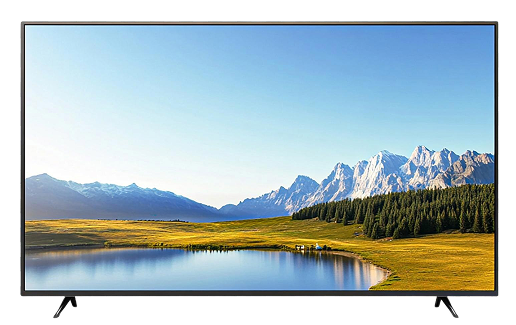
Overscanning was typically used on older TV sets to zoom in on a picture to guarantee a clean edge around a screen. While this meant the full TV screen was used and filled with an image, in some cases, the viewer would not see the whole picture.
Modern TV sets often still have overscan features, although even for standard definition pictures, they will add limited value to your viewing experience given how new shows are filmed.

Pan & Scan
Pan & scan is the cropping technique used to reframe a picture to a different aspect ratio. Pan & scan is most commonly used for DVD movies, enabling those with a TV with a 4:3 aspect ratio to watch without experiencing a letterbox. In this case, the process would crop the edges of the widescreen picture, also known as horizontal offset, leaving the center of scenes visible.
Passive Subwoofer
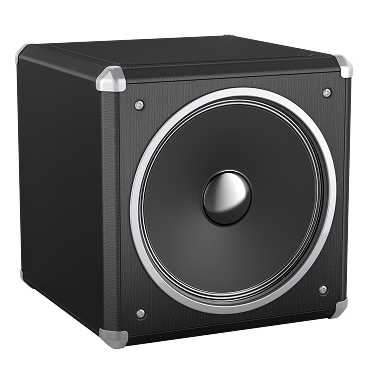
A passive subwoofer is a subwoofer without a built-in amplifier. As a result, passive subwoofers don’t have integrated volume and tone controls, either. Most home theater systems use active subwoofers.

PBC
PBC stands for playback control, a feature you can use with your remote control for your devices.

PIP
PIP stands for picture-in-picture, a TV feature allowing you to watch two channels at once. Typically, this will not be a 50/50 split, but one main channel takes up the screen, with the second channel in a small window. If you watch YouTube videos on your phone while also using other functions, you’ll already be familiar with PIP on a smaller scale.

Pixel
A pixel is the smallest displayable element on a TV screen. The more pixels your display has, the better the quality of the picture.
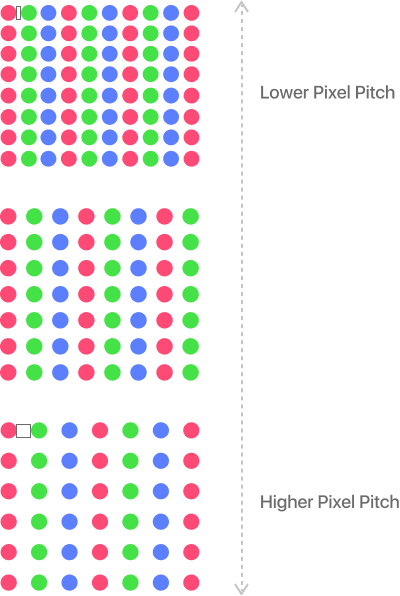
Pixel Pitch
Pixel pitch is the space between pixels on a CRT TV display. The lower the pitch, the better the image. Pixel pitch is sometimes called dot pitch.

PDP
PDP stands for plasma display. A plasma display is a flat-panel technology that creates images using ionized gas in a plasma state.
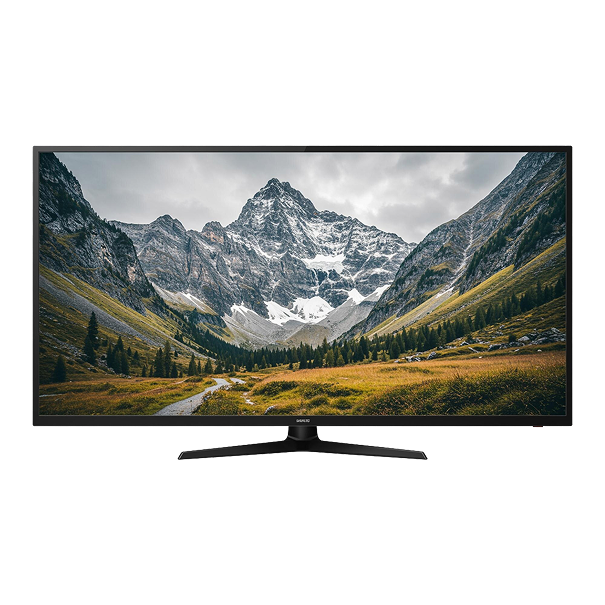
Plasma TV
Plasma TVs were popular in the mid-2000s before the cost of producing LED and LCD TVs reduced. Plasma TVs are a TV that uses a plasma display. They can offer fantastic pictures but burn in much quicker than LED TVs.

Plenum Cable
A plenum cable is a type of cabling that meets fire regulations and can also run through ceilings. As such, it may be something you use in your home theater surround sound system.

Pluge
Pluge stands for picture line-up generation equipment. Pluge patterns are used to test and calibrate black levels on a video display.
Often, the factory settings of even top-end TVs won’t optimize your pictures, so you can use video calibration software or video calibration DVDs to find the optimal settings for your TV.

PnP
PnP stands for plug and play, which can refer to set-top TV boxes or video games.

Poly-Silicon LCD
Poly-Silicon LCD is a technology that improves the color saturation of a display.
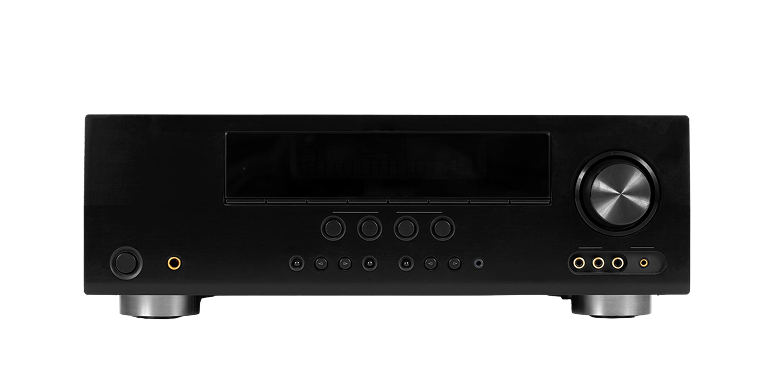
Power Amplifier
A power amplifier is a device that can enhance your sound system even further.

PQ
PQ stands for picture quality.
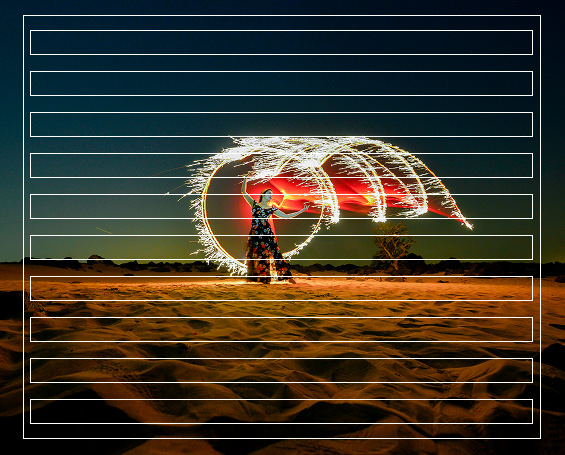
Progressive Scanning
Progressive scanning technology enhances your TV viewing experience by building your image one line at a time for each frame. Progressive scanning provides a much sharper and higher quality image than interlacing.
Pro-Logic
Pro-Logic is often used as an abbreviation of the various standards of Dolby Pro-Logic.
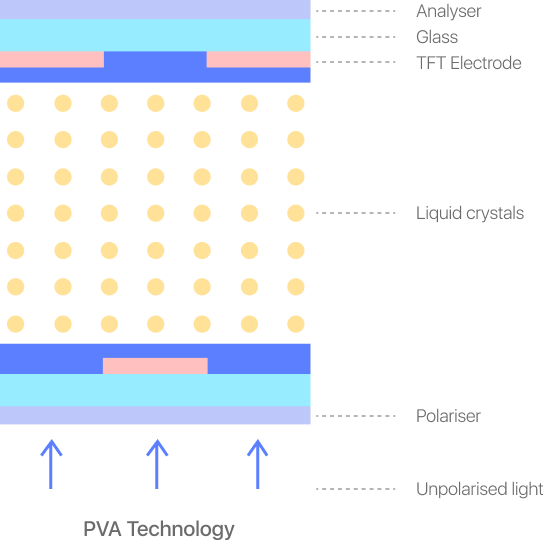
PVA
PVA stands for patterned vertical alignment and is a technology commonly used in LCD TVs.

PVR
PVR stands for personal video recorder and is sometimes used instead of DVR, or digital video recorder.
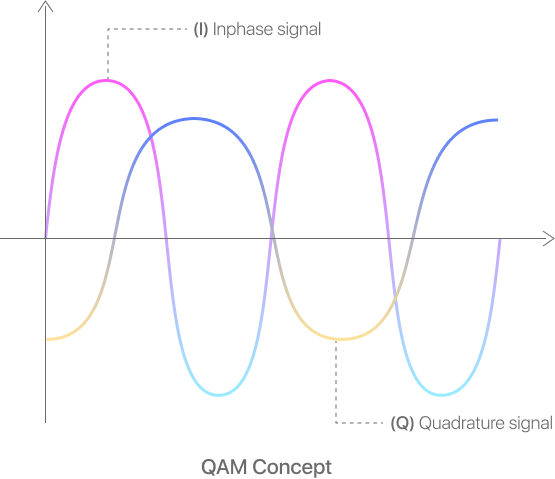
QAM
QAM stands for Quadrature Amplitude Modulation and is a signal format for digital cable channels.
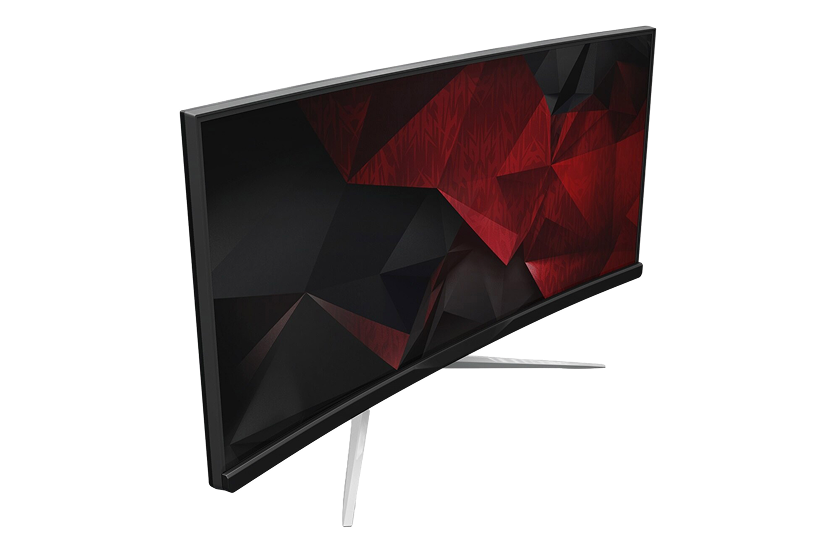
QLED TV
QLED stands for quantum light-emitting display and is a type of TV display developed by Samsung. While Samsung produces most QLED displays, you can buy QLED TVs from several manufacturers.

Rainbow Effect
The rainbow effect is a display error where you see individual colors or color trails on your TV rather than a blend of colors.
R/C
R/C stands for resilient channel. In a home theater context, your RC is a metal channel affixed to wall studs that hold your DWFC in place.
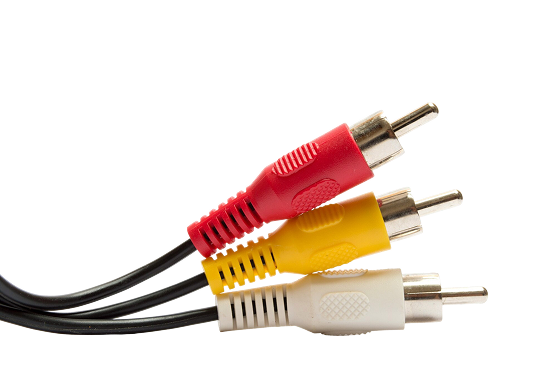
RCA Plug
An RCA plug, also called a phono plug, is a common audio and video connection, found as an output and input connection on several types of audio-visual equipment. RCA plugs are also used for audio transmitted over coaxial cables.
Depending on the manufacturer, model, and age of your equipment, you might have several RCA plug options on your devices.
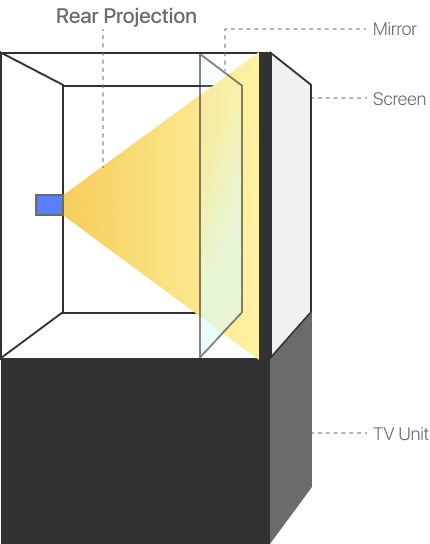
Rear Projection
A rear projection TV projects the picture against a mirror inside of your TV unit. Some projectors also use rear projection to reverse an image onto a rear projection screen.

Receiver
A receiver is one of your sound systems’ most crucial parts, splitting your source into the relevant number of channels for your surround sound system.
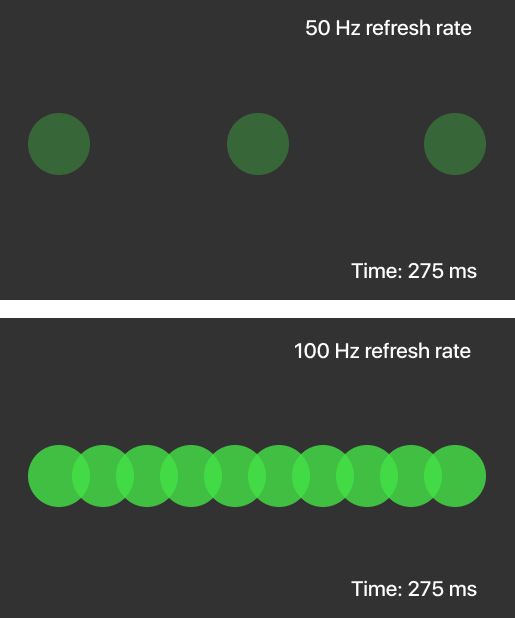
Refresh Rate
The refresh rate is the number of times per second your display is “redrawn.” The higher the refresh rate, the smoother a moving picture will appear.
Most modern TVs have a refresh rate of 100Hz or more, leading to smoother TV pictures than ever before.

Resolution
Resolution is the number of pixels your TV can display, reflecting the density of lines and pixels on each line that make up the image you see.
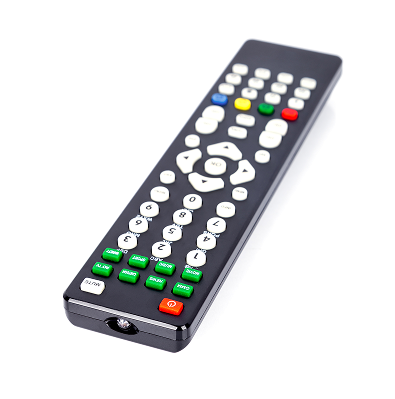
RF
RF stands for radiofrequency. In a home theater context, RF may relate to how remote controls work, as an alternative to infra-red, or to the connector that delivers both audio and video transmissions to your display.
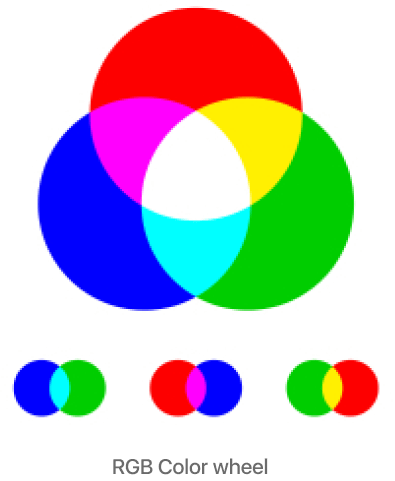
RGB
RGB stands for red, green, blue, and is the generic color space used in digital video cameras and CRT TVs.

RISC Clips
RISC stands for resilient sound isolation channel. RISC clips attach to your DWFC and R/C as part of your home theater’s soundproofing.
RPTV
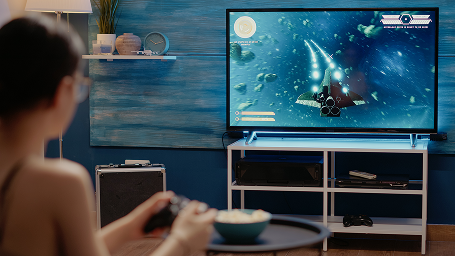
RPTV stands for rear projection TV.

Scaling
Scaling is when the size of an image is made bigger or smaller without changing its shape.

Screen-Door Effect
The screen-door effect is when you can see the grid of pixels that create the picture on your TV display. This effect got its name because it makes you feel like you’re watching the TV through a screen door. The screen-door effect is usually only noticeable on lower-end LCD TVs.

Screen Gain
Screen gain is a rating that measures the ability of a display to direct incident light to an audience. Higher gain screens are brighter but have narrower viewing angles.

SD
SD stands for standard definition, a display with 480 lines of resolution.

SDR
SDR stands for standard dynamic range. Due to its limitations, SDR cannot display the enhanced brightness and color of an HD display. Therefore, an SDR display won’t provide as much variety between different scenes.

SDTV
SDTV stands for standard-definition television.

SED
SED stands for surface-conduction electron-emitter display. SED was a display technology in development throughout the 2000s. The brands pursuing the development of SED technology wound down their efforts from the mid-to-late 2000s as LCD became the dominant TV display technology.
Soffit Trap
A soffit trap hangs along the edges of your ceiling, reducing sound vibrations and bass build up.
Soundbar
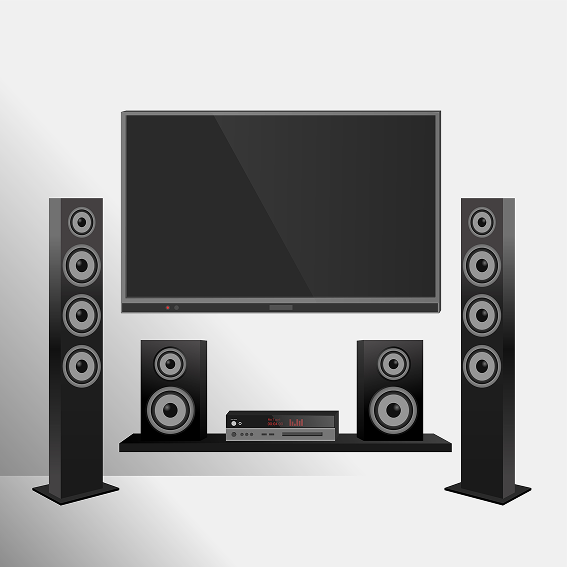
A soundbar has multiple speakers and usually sits immediately in front of your TV screen. The purpose of a soundbar is often to give a better sound experience than the TV speakers, particularly if you don’t have space or the budget for a full surround sound setup. Many soundbars do a reasonable job of imitating surround sound. Still, the best approach to getting high-quality sound is to have a genuine 5.1 surround sound setup in your home theater.

S/PDIF
S/PDIF stands for Sony/Philips digital interface and is a type of digital coaxial cable.
SPL
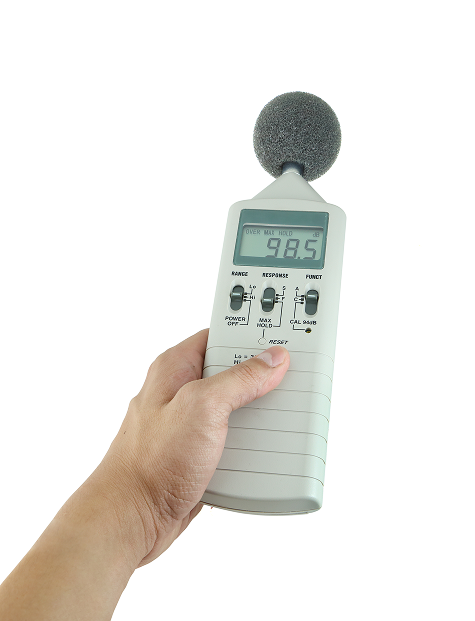
SPL stands for sound pressure level, used within an SPL meter, to calibrate audio.
S-PVA
S-PVA stands for super-patterned vertical alignment and is a Sony developed display technology.

Speaker Sensitivity
Speaker sensitivity, or speaker efficiency, is the measure of how much power is required to generate a specific level of sound from your speaker system. It is worth measuring your speaker sensitivity regularly so you can replace any speakers that are starting to wear out.
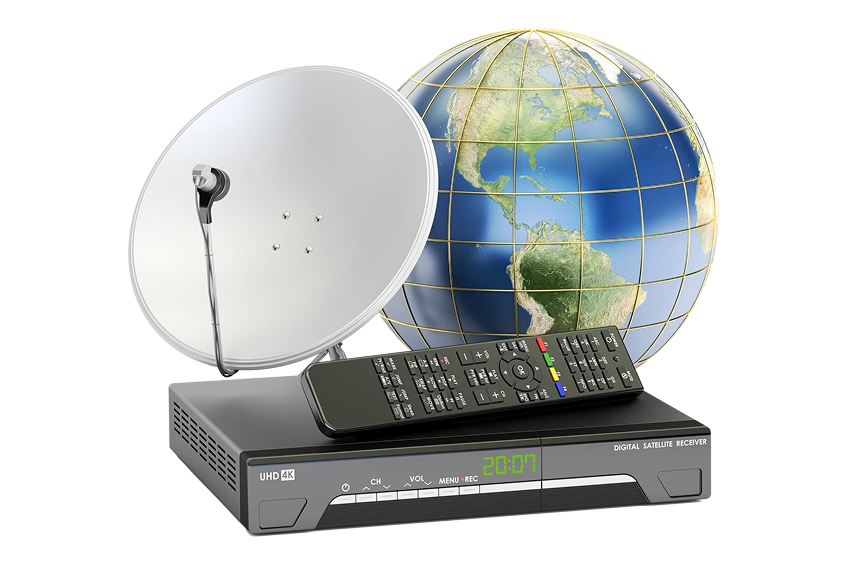
STB
STB stands for set-top box, a device that receives and converts pictures and sound signals from a broadcast transmission to display them on your TV.
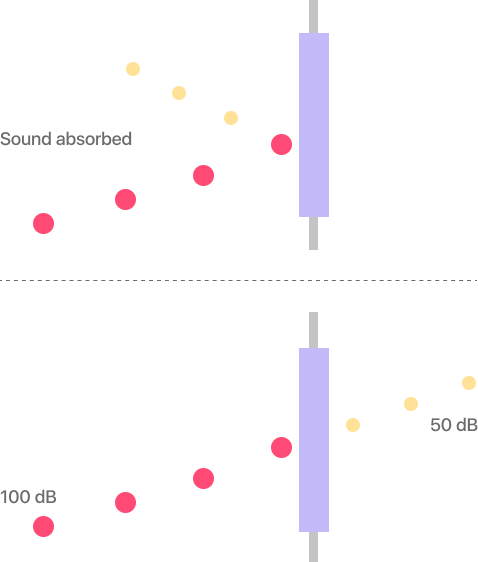
STC
STC stands for sound transmission coefficient and is a measure of a structure’s ability to reject audio frequencies higher than 125Hz.

Subwoofer
A subwoofer is a speaker that produces and reinforces low frequency, deep sounds, such as bass. Subwoofers are non-directional, so where you place them in your surround sound system and home theater isn’t too critical.

Superbit DVD
A Superbit DVD produces higher visual and audio quality by encoding pictures and sounds at double the bit rate of the original theatrical recording.
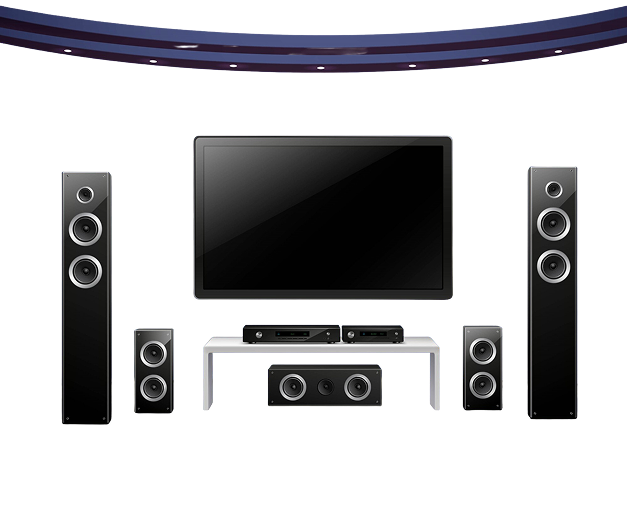
Surround Sound
Surround sound is the process of expanding your audio playback’s spatial imaging to deliver a 3D audio experience within your home theater setup. Surround sound is typically notated as the number of channels or speakers followed by the number of subwoofers. For example, a standard surround sound system is 5.1, for five speakers and one subwoofer.
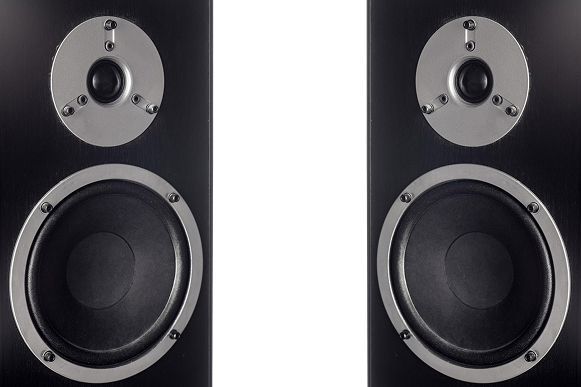
Surround Speakers
Surround speakers point towards you and generate a 3D immersive audio experience.
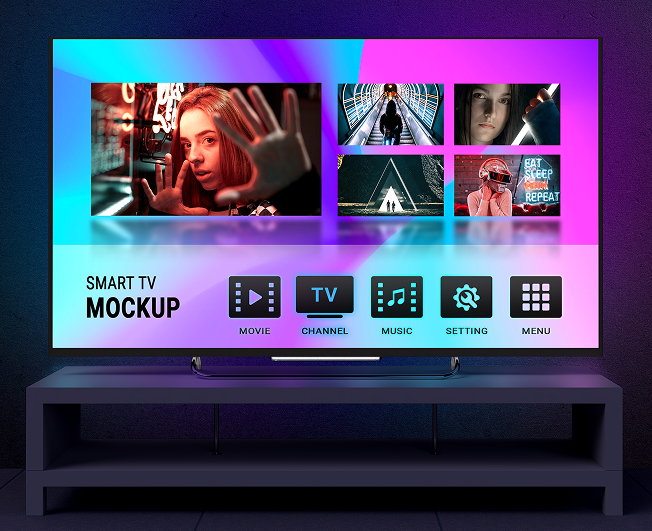
SVGA
SVGA stands for super video graphics array, which is a resolution of 800 x 600.
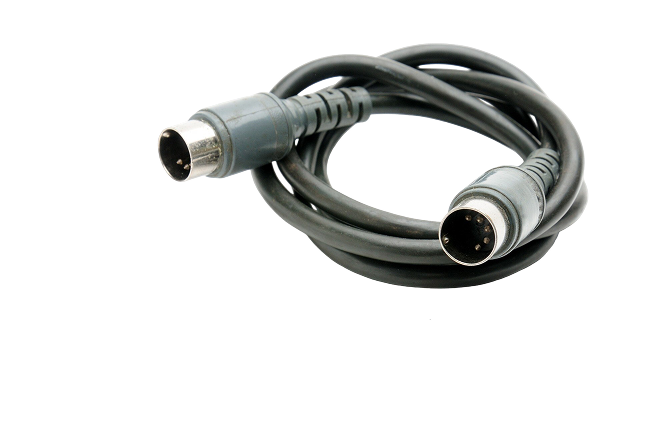
S-Video
An s-video connector is used in analog video to separate color from luminance data.
SXGA
SXGA stands for super-extended graphics array, a resolution of 1280 x 1024.

SXRD
SXRD stands for silicon x-tal reflective display, an LCD device produced by Sony for use in projectors, and can achieve full HD, or 1080p, resolution.
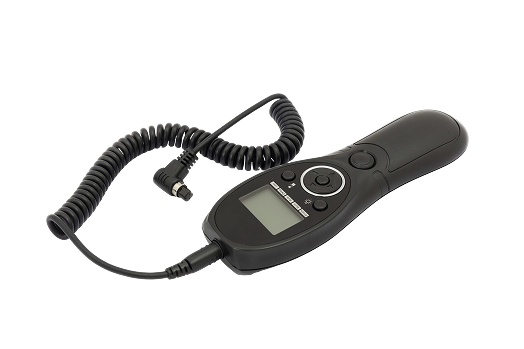
Tactile Transducers
Also known as bass shakers, tactile transducers plug into an amplifier and are placed under theater seats. When there is a bass rumble on the screen, the transducers shake the floor and seats. Some home theater seats can also recreate this effect.
TBC
TBC stands for time base corrector, a device that removes or masks uneven variations in video synchronization.
TFT
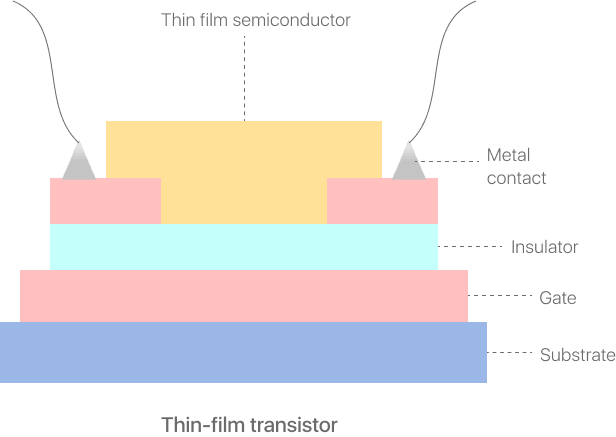
TFT stands for thin-film transistor, a technology found in Active Matrix LCD flat panel displays. In these displays, each pixel is controlled by between one and four transistors, depending on the manufacturer and model, hence the name.
THD
THD stands for total high definition and is a Warner Bros hybrid, multiple layer, DVD/HD-DVD/Blu-Ray disc.
Throw Distance
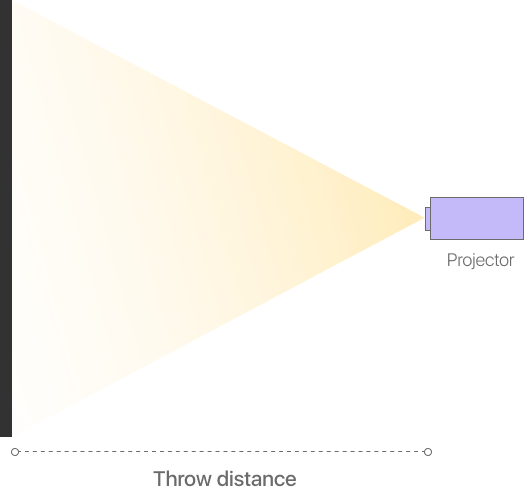
Throw distance is the size of the image a projector can produce from a specific range. Throw distance is determined by the lens on your projector, and not the projector itself. Therefore, by knowing the lens’s throw distance or the space you have between your projector and screen, you can correctly set up your home theater projector.
TOSLINK
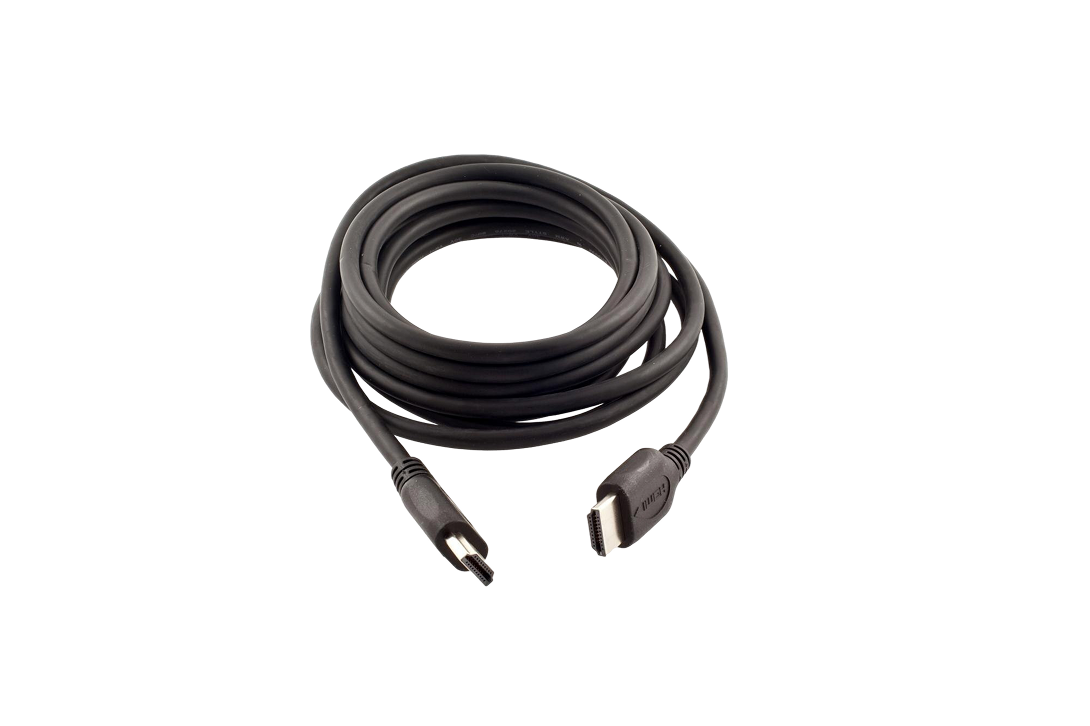
TOSLINK, or Toshiba Link, is a type of optical cable that delivers multi-channel audio via digital signals. TOSLINK uses fiber optic cable, meaning it is not affected by outside electrical interference.
TSTN
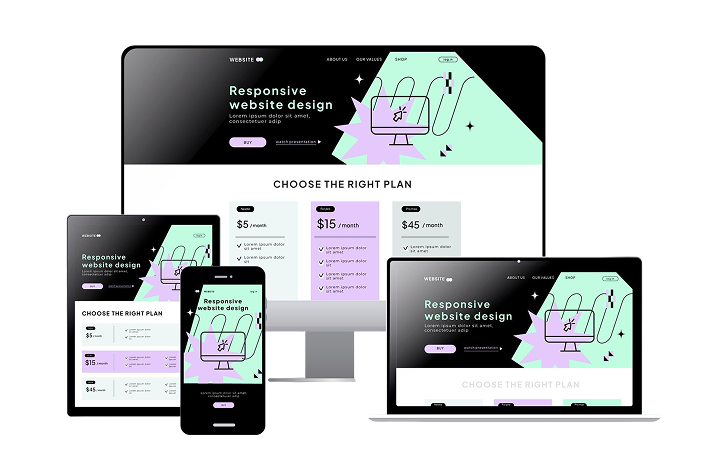
TSTN stands for triple super twist neumatic, a technology found in Active Matrix LCD flat panel displays where each pixel has a specific transistor switch.

Tweeter
A tweeter is a loudspeaker that reproduces high-frequency sounds.

UHV, or UHDV
UHV or UHDV stands for ultra-high-definition video, usually referring to displays with a 4K or 8K resolution.

UHD
UHD stands for ultra-high-definition and sometimes called full HD, with a resolution of 1920 x 1080p.
UMD
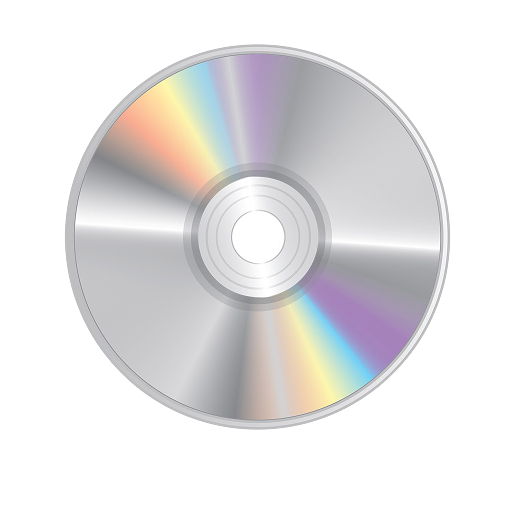
UMD stands for universal media disc, a Sony-developed optical disc format that can hold up to two hours of DVD-quality video content.
Upconverting
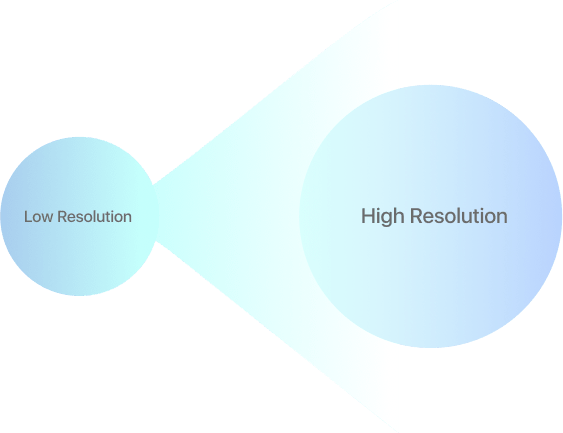
Upconverting is the process of converting a lower resolution input signal to a higher resolution signal.
UPnP
UPnP stands for universal plug-and-play, a set of network protocols allowing all your connected devices to share data between each other.

UXGA
UXGA stands for ultra-extended graphic array, a resolution of 1600 x 1200.

VBI
VBI stands for vertical blanking interval, which is a part of a TV transmission blanked or cleared of viewable content.
VBR
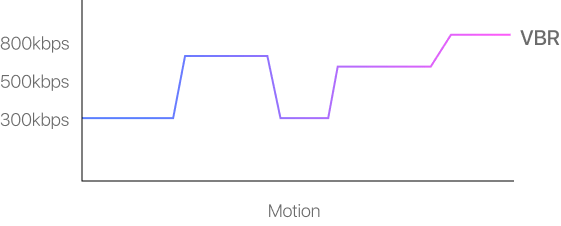
VBR stands for variable bit rate, relating to the bit rate used in sound or video encoding.
V-Chip
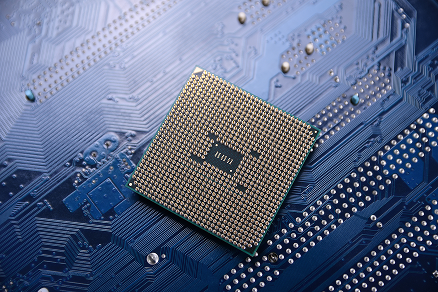
A v-chip is a component used primarily for parental control, and blocks or scrambles channels if the content is thought to be, for example, violent or sexually explicit. This feature is what sometimes prompts you to enter a PIN or another form of verification if you want to watch an R-rated movie via a set-top box during the day.
VCR
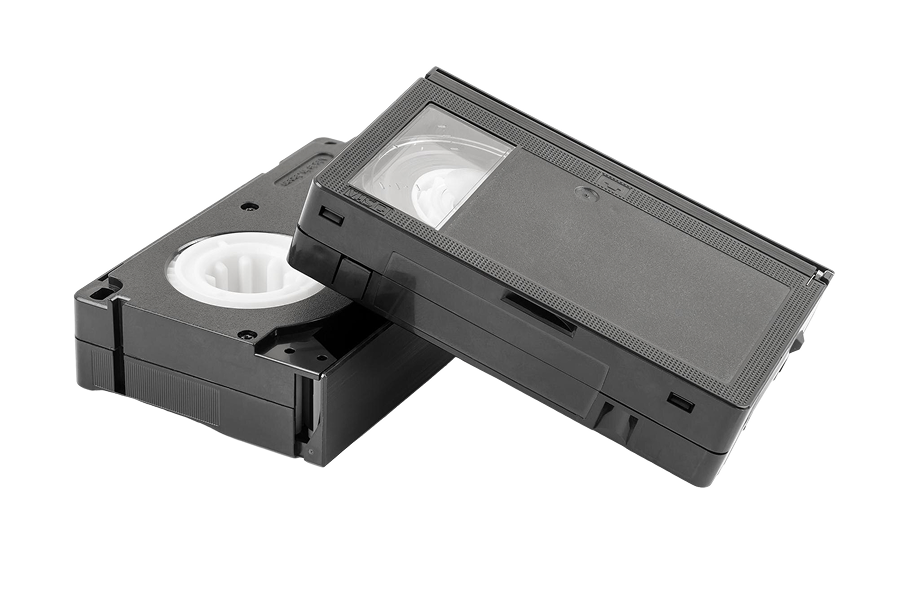
VCR stands for videocassette recorder, although these are no longer manufactured.
VGA
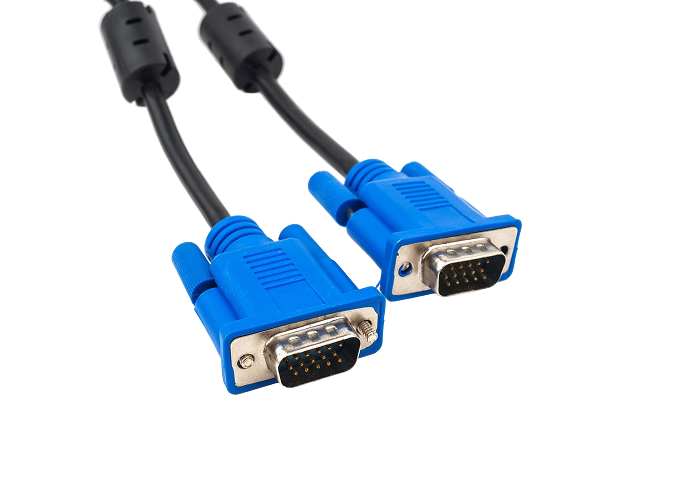
VGA stands for video graphics array, with a resolution of 640 x 480.
VHS
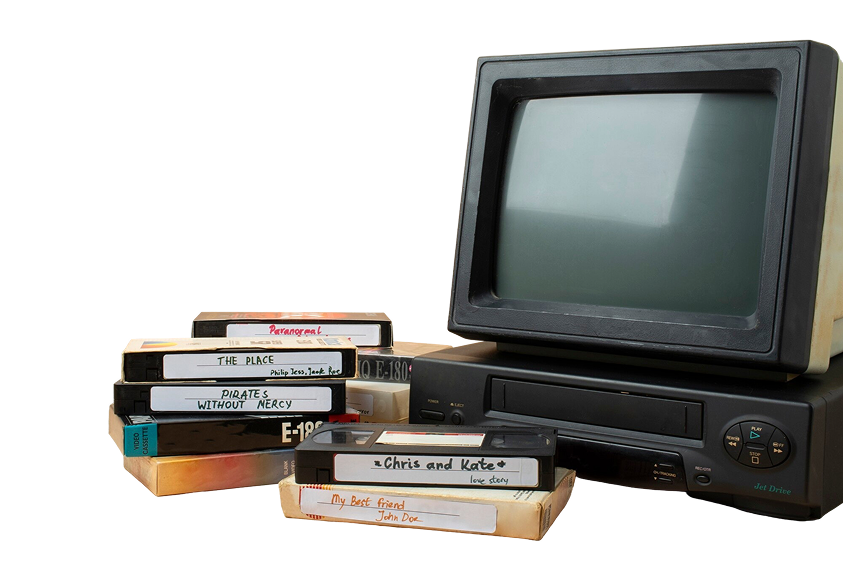
VHS stands for video home system. Playable on a VCR, VHS was capable of delivering up to 240 lines of resolution.

Video Processors
Video processors are another name for line doublers, which increase the number of lines on the display, improving the appearance of interlaced pictures.
Viewing Angles
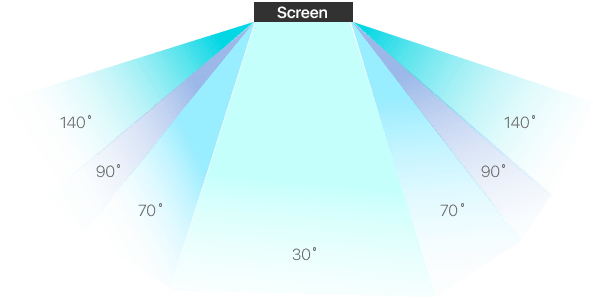
Viewing angles refer to the angles at which you can sit in relation to your TV and still enjoy an optimized viewing experience. While some TV and display formats, such as OLED TVs, allow for a range of viewing angles, QLED TVs, for example, offer a smaller range.
VMD
VMD stands for versatile multiplayer disc and is a less expensive version of HD-DVD technology.
VOD
VOD stands for video on demand. VOD is sometimes used to describe online streaming services or on-demand services from cable and satellite providers.
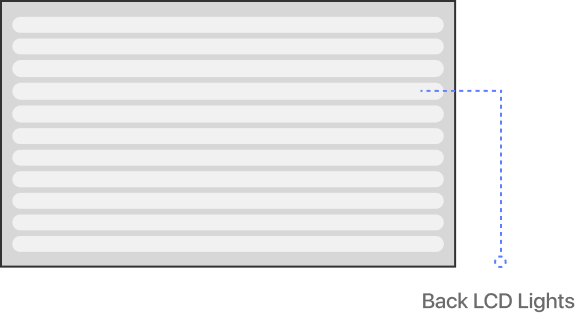
WCG-CCFL
WCG-CCFL stands for wide color gamut-cold cathode fluorescent light and is a Sony developed type of LCD backlight.

Widescreen Format
Widescreen refers to an aspect ratio of 16:9.
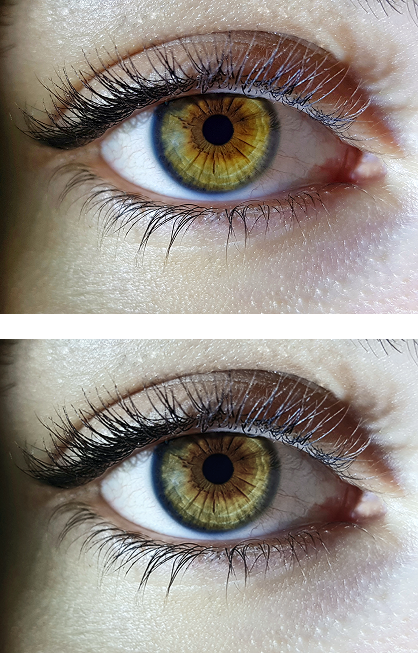
Wobulation
Wobulation is a type of resolution-doubling technology pioneered by Hewlett Packard.

Woofer
A woofer is a loudspeaker designed to reproduce low-frequency sounds.
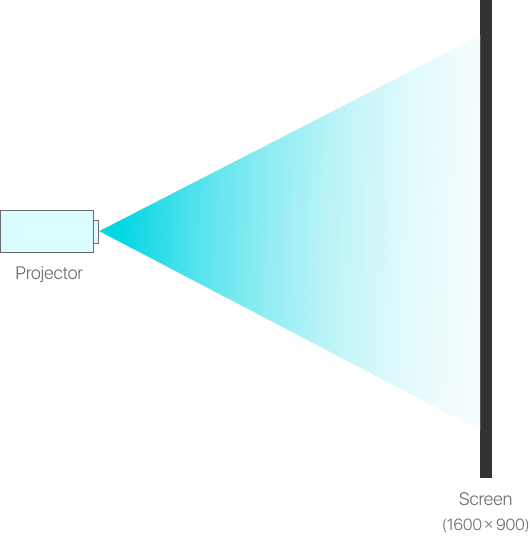
WSXGA
WSXGA stands for wide super-extended graphics array and is a resolution that can produce a 16:9 aspect ratio image with resolutions between 1600 x 900 and 1920 x 1080.
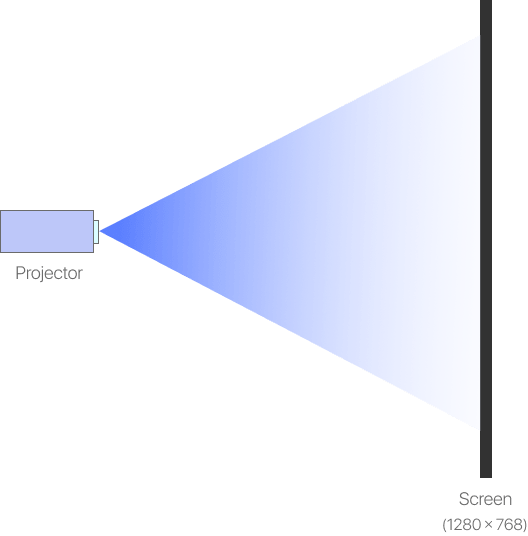
WXGA
WXGA stands for wide extended graphics array and is a resolution that can produce a 16:9 aspect ratio image with resolutions between 1280 x 720 and 1366 x 768.
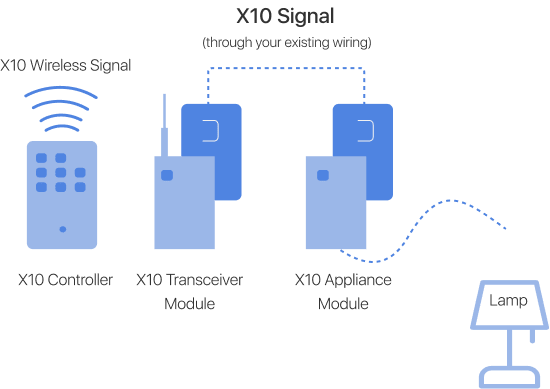
X10
X10 technology is what allows our electronic devices to send and receive commands to and from each other.
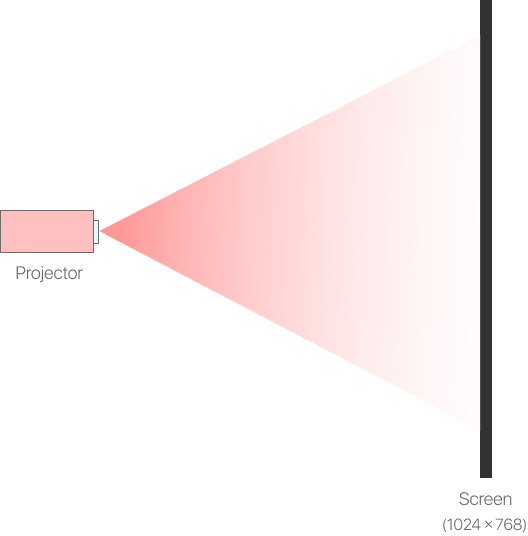
XGA
XGA stands for extended graphics array, which has a resolution of 1024 x 768.
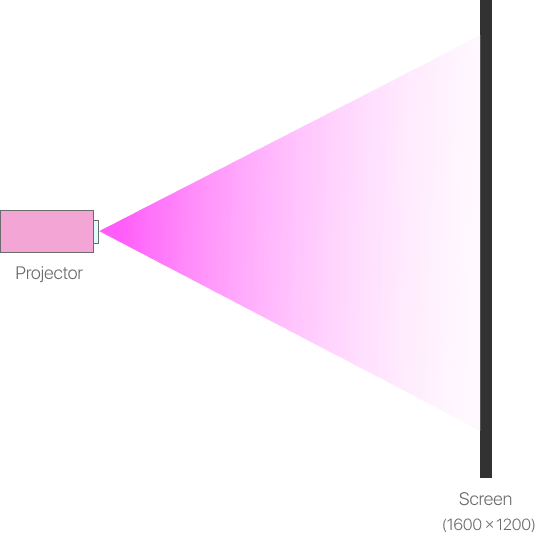
XGA-2
XGA-2 is second generation XGA, offering a resolution of up to 1600 x 1200.
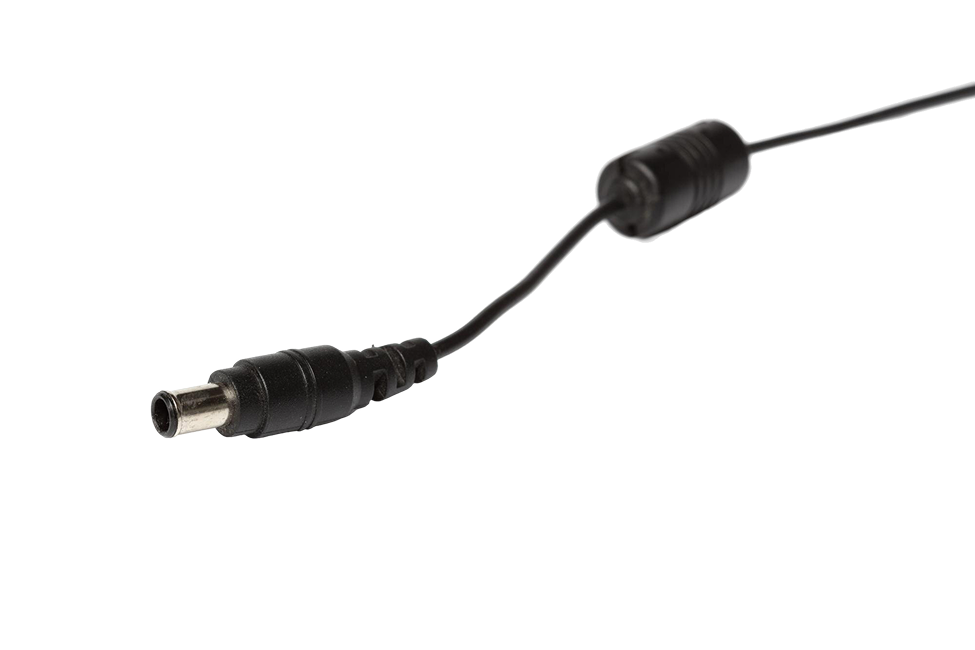
Y/C Connector
A Y/C connector was a 4-pin connector used on S-VHS and S-Video sources.
YCbCr
YCbCr is a digital format, in which Y stands for the luma, or brightness, Cb stands for the blue component, and Cr stands for the red component. The blue and red components collectively stand for the color differences with reduced color information and bandwidth.
YUV
YUV technology was initially developed for backward compatibility purposes for black and white TV sets and is the analog luminance and color difference components of a color image. YUV allows encoding of luminance (Y) data at full bandwidth, and chrominance (UV) data at reduced bandwidth.
